
How do I create an appointment?
What it is for
An appointment places a job in a technician's schedule. On the day, the technician opens it and starts their report: client and address are already filled in.
Before you start
Step by step
In Schedule, tap New appointment. You can also tap a free slot in the schedule directly.
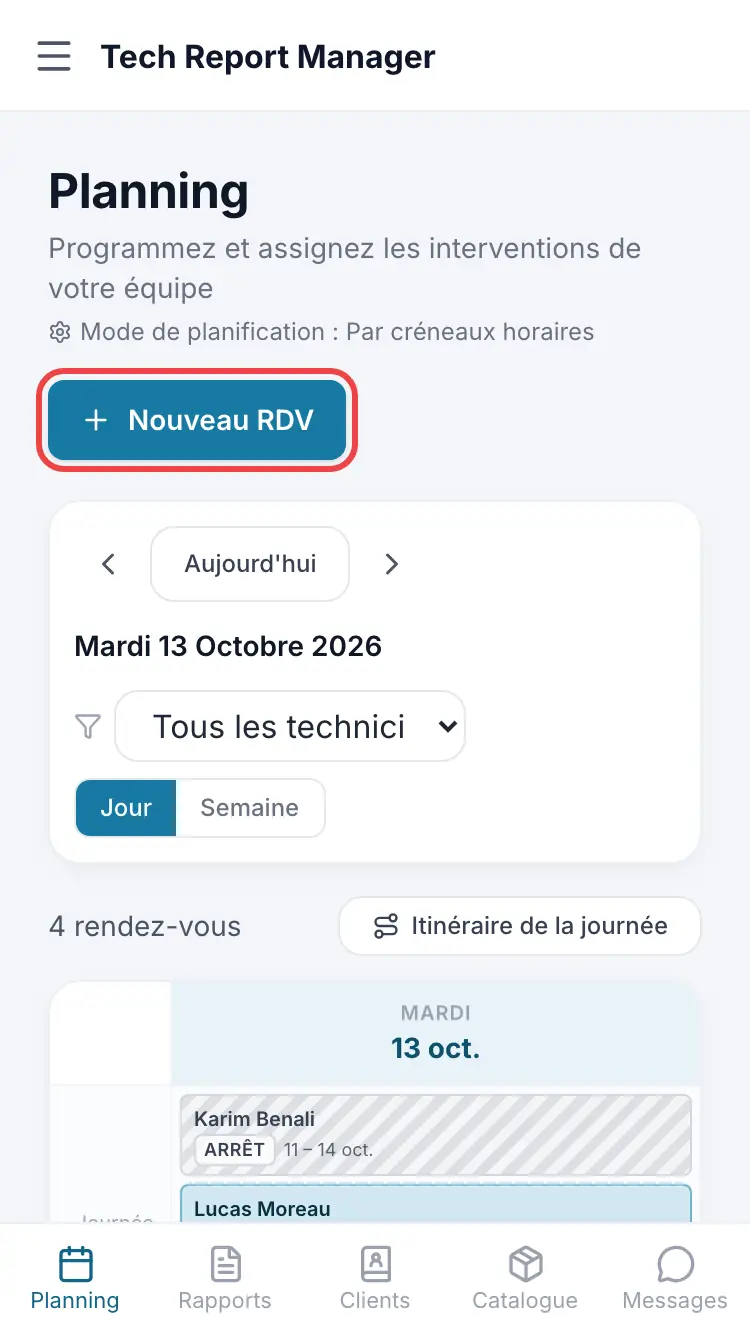
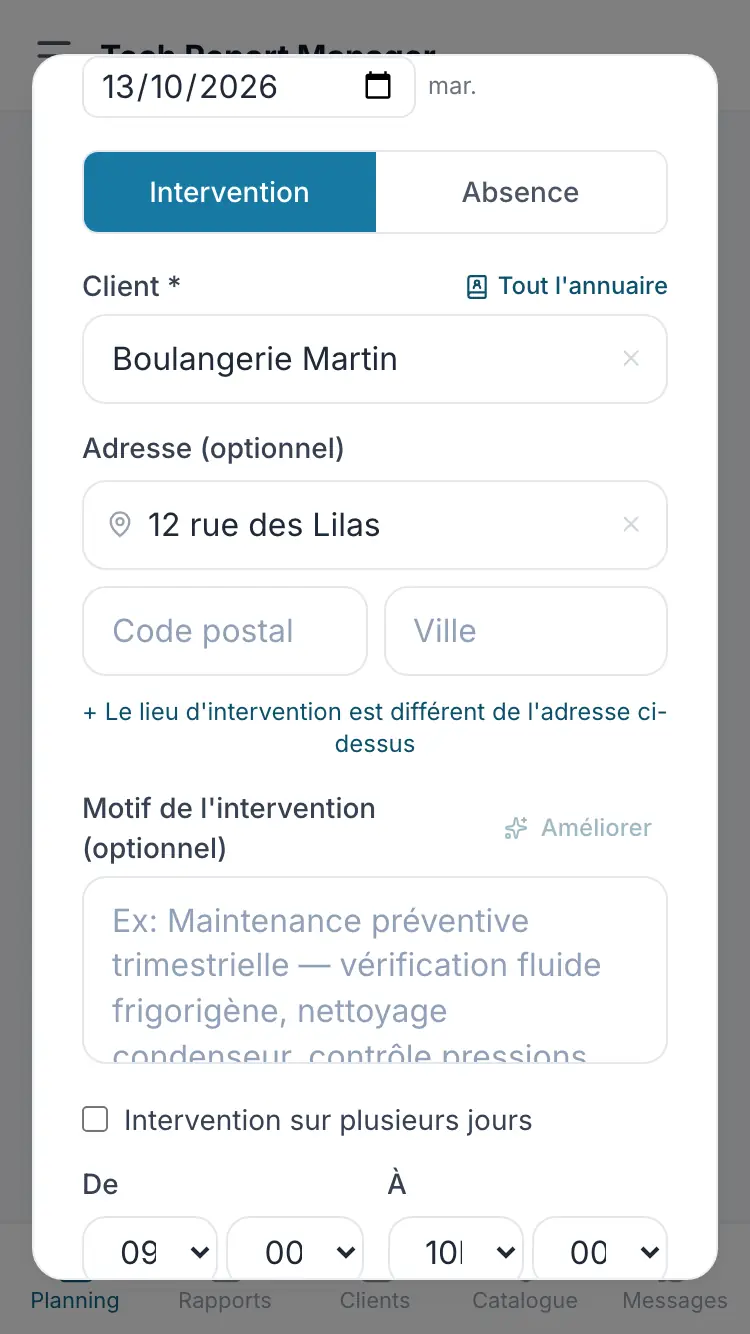
The New appointment button Pick the client from the directory or type their name in Client *, complete the address, then the date and time.
Client, address and time Choose the Assigned technician *, add the Reason for the intervention (optional) if needed, then tap Schedule.
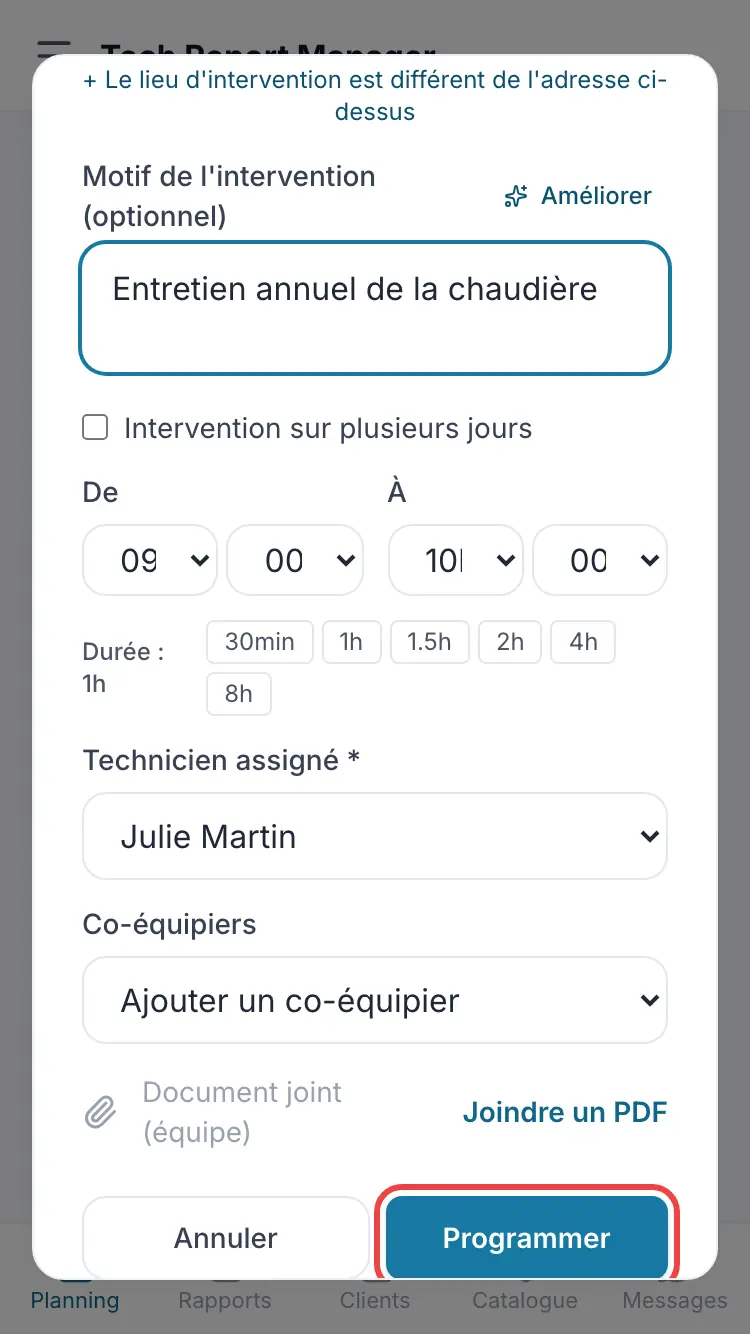
The technician and confirmation
Good to know
Enter the client's email: without it, neither the appointment reminder nor the automatic report email can be sent.
Frequently asked questions
I can't see the “New appointment” button.
It is reserved for managers. A technician sees their schedule but does not create appointments.
The job address is not the client's address.
Use + The intervention location is different from the above address to enter the site address.
The chosen technician is away that day.
A Technician unavailable warning appears: choose another technician or schedule anyway.
Related articles
Need help? Our team answers by email: support@tech-report.fr
Screenshots taken on a phone, in French.