
How do I schedule a job over several days?
What it is for
For a job lasting several days, a single appointment covers the whole period. It appears on each day of the schedule with its rank (day 1, day 2…), and a single report closes it.
Before you start
Step by step
In New appointment, tick Job spanning several days, then choose Start date and End date. The Arrival time on day 1 (optional) can be left empty.
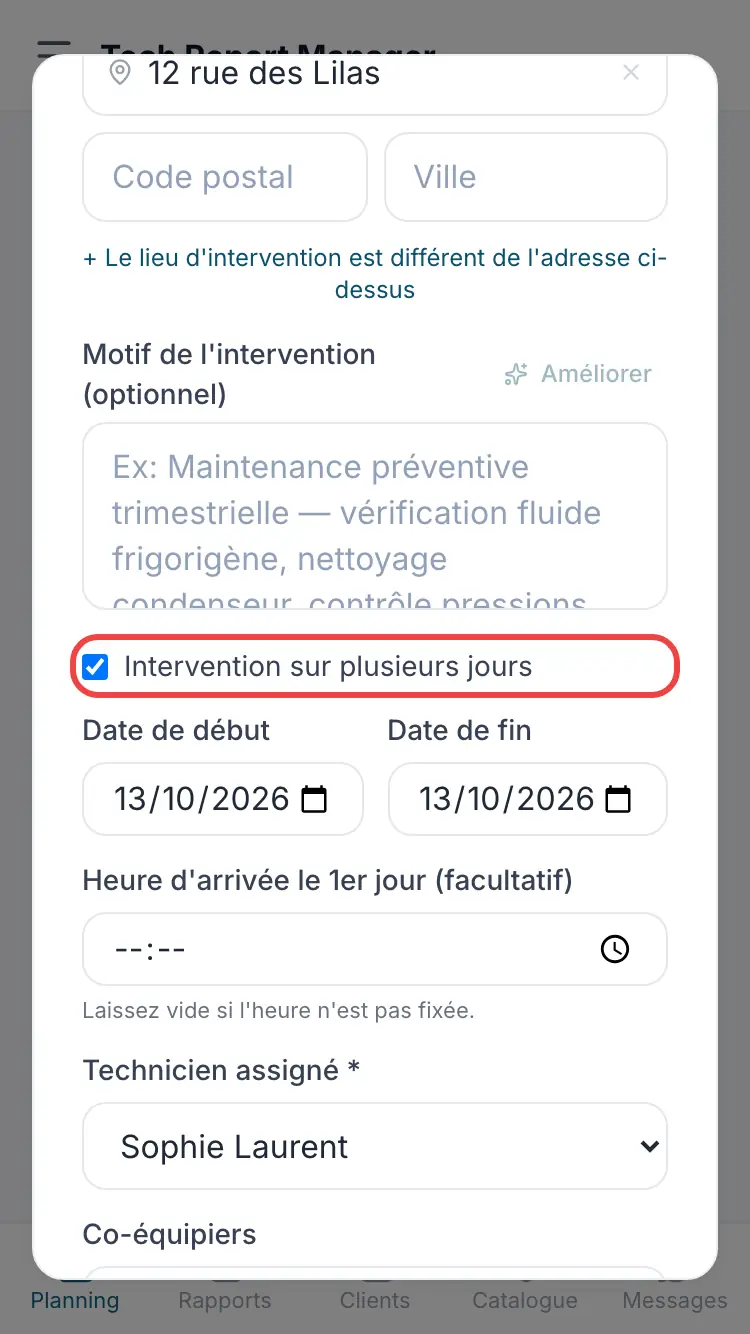
The start and end dates
Good to know
A job cannot last more than 31 days, and the end date must be after the start date.
Frequently asked questions
How many reports for a multi-day job?
Just one: there is a single appointment, which simply appears on each day.
Can I set a time for each day?
Only the arrival time on the first day can be set, and it is optional.
Related articles
Need help? Our team answers by email: support@tech-report.fr
Screenshots taken on a phone, in French.