
How do I send appointment reminders to my clients?
What it is for
The reminder lets the client know by email before the job, so they are there and the site is accessible.
Before you start
Step by step
In Settings, Automatic sends section, turn on Send appointment reminder and choose the Lead time before the appointment: 2 hours before, The day before (D-1), 2 days before or 3 days before.
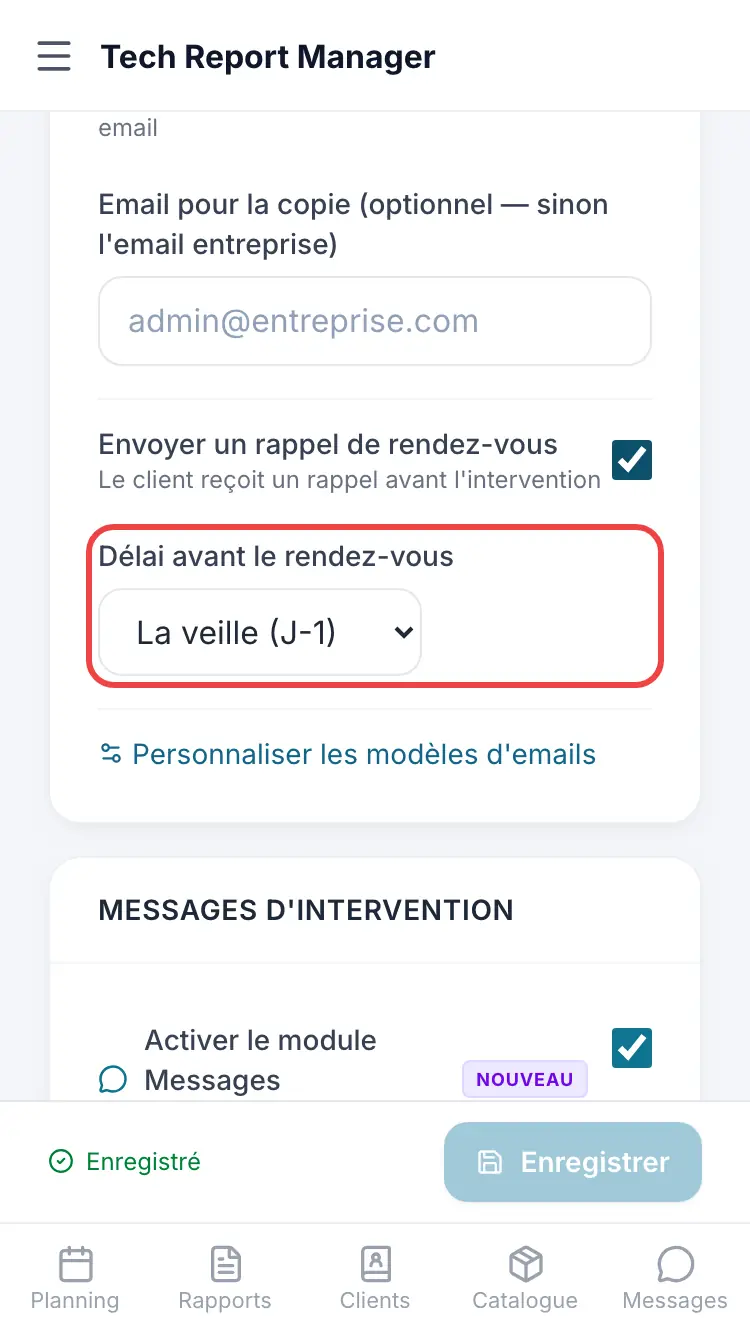
The reminder setting
Good to know
The timing is chosen from a list: there is no free entry. The email text can be changed in Customize email templates.
Frequently asked questions
My client didn't get a reminder.
Check that the appointment has a valid email address. Without an email, no reminder is sent.
Is the reminder sent by SMS?
No, by email only.
What happens to the reminder if I move the appointment?
It is recalculated from the new date.
Related articles
Need help? Our team answers by email: support@tech-report.fr
Screenshots taken on a phone, in French.