
How do I fill in an intervention report?
What it is for
The intervention report describes what was done at the client's, with photos, materials and signature. Once finalised, it becomes a PDF with your branding.
Before you start
Step by step
Open the appointment in Schedule and tap Start the report. Without an appointment, use New report in Reports.
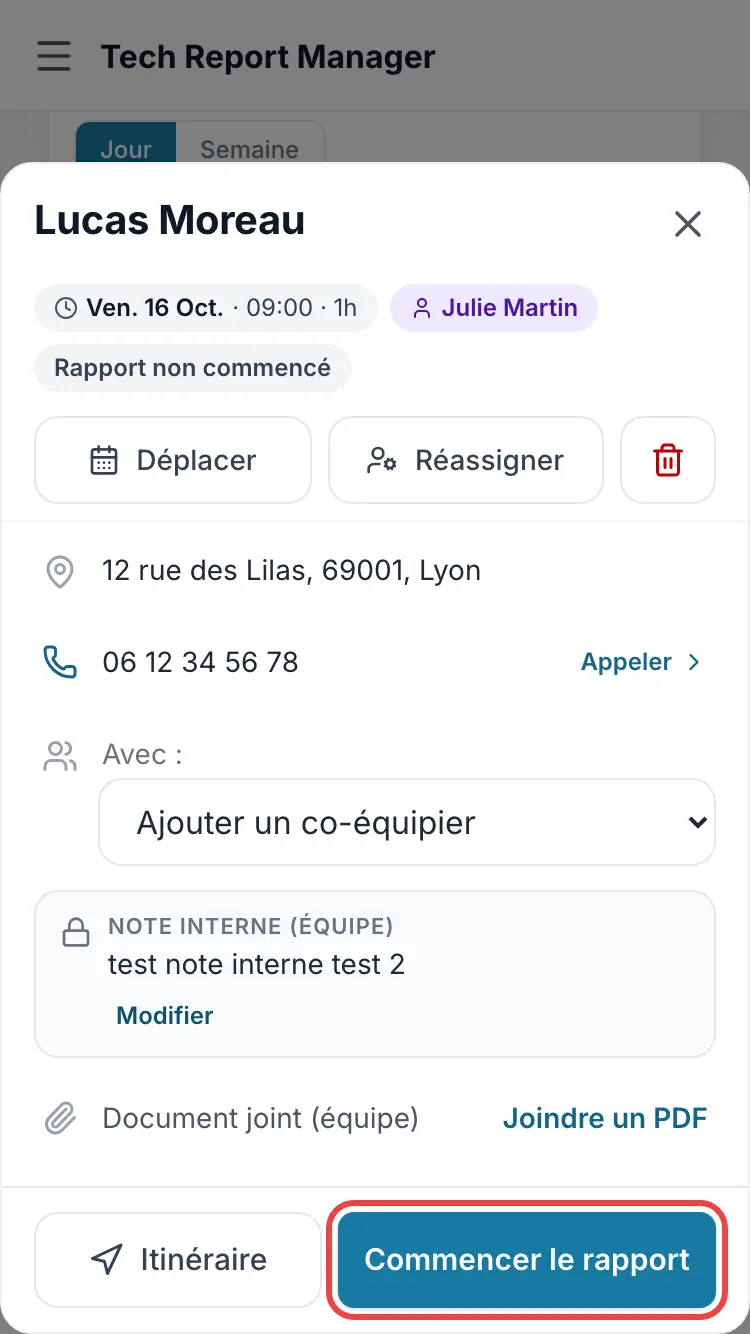
Starting the report from the appointment The On site step gathers the client, the job, photos and recommendations. Move on with Next.
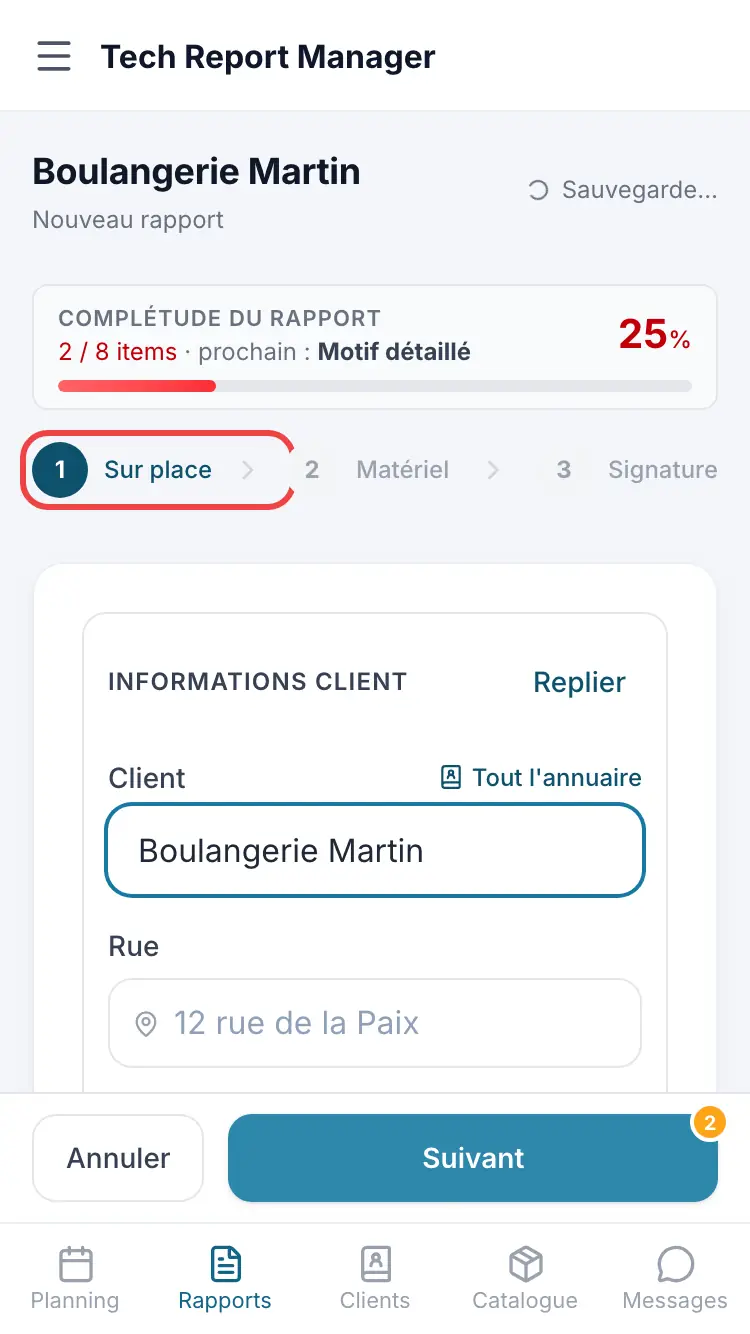
The On site step The Materials step lists parts and services (Add a line). The Signature step collects the comment and signatures.
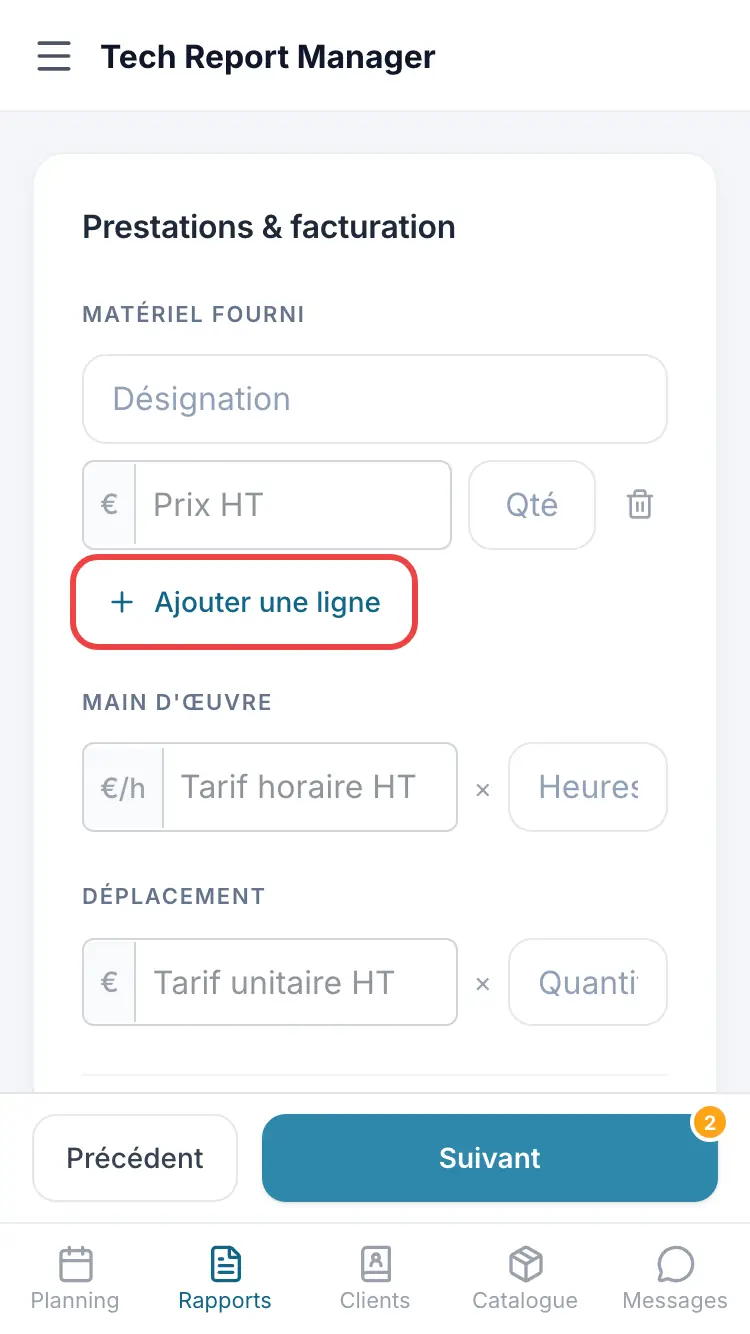
The Materials step
Good to know
The report saves as you go: you can leave it and pick it up later with Resume the report.
Frequently asked questions
Can I go back to a previous step?
Yes, with Previous, as long as the report is not finalised.
Can a technician create a report without an appointment?
Yes: Create a report without an appointment from their schedule.
I can't see prices in the report.
The Show prices in reports setting is turned off in Settings, Billing & Preferences section.
Related articles
Need help? Our team answers by email: support@tech-report.fr
Screenshots taken on a phone, in French.