
How do I automatically get a copy of reports?
What it is for
As soon as a technician finalises a report, the client receives the PDF by email. With the copy, you get the same email: nothing slips past you.
Before you start
Step by step
In Settings, Automatic sends section, turn on Automatically send finalized reports then Receive a copy. Enter the address you want in Email for the copy (optional — otherwise the company email).
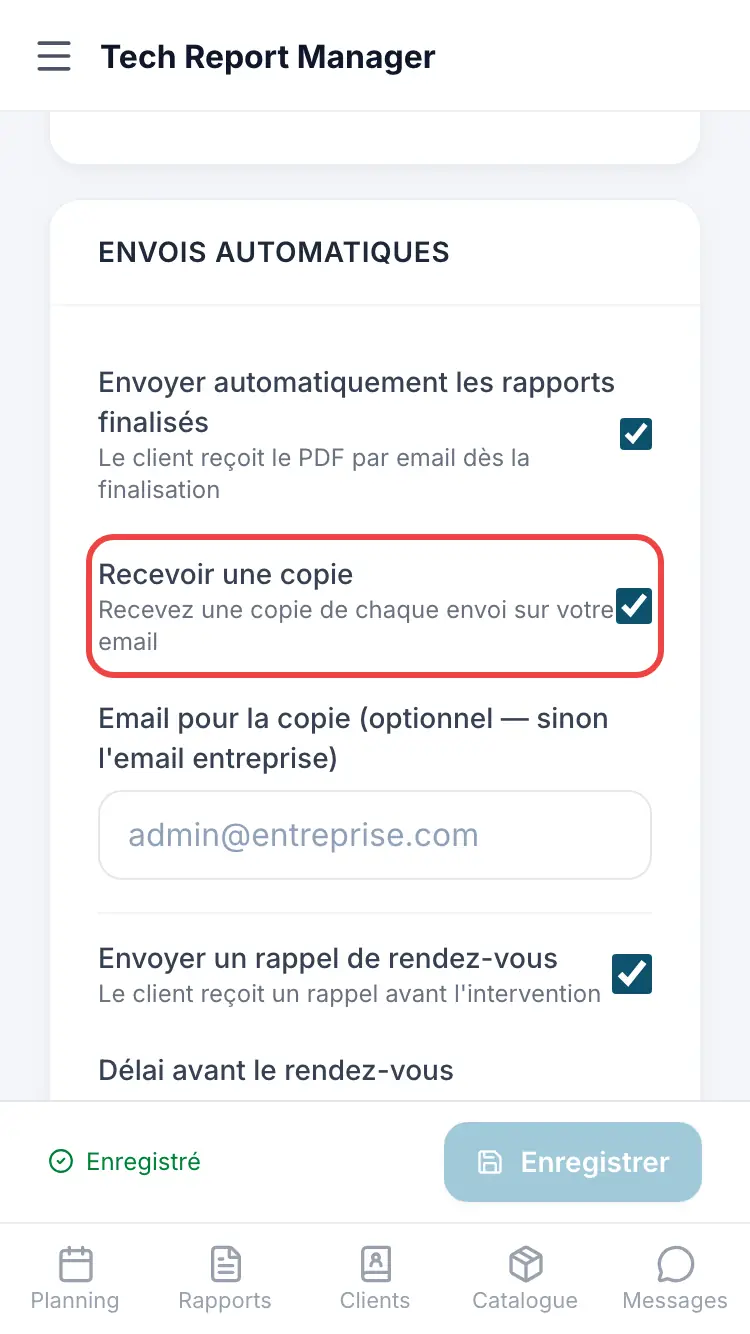
Automatic sending
Good to know
The copy goes with the email to the client: it is only sent if Automatically send finalized reports is on and the report has the client's email. With no address entered, the copy goes to the company email.
Frequently asked questions
I don't receive any copies.
Check that automatic sending is on and that reports have a client email. Also look in your spam folder.
Can I change the email text?
Yes, with Customize email templates.
Related articles
Need help? Our team answers by email: support@tech-report.fr
Screenshots taken on a phone, in French.