
How do I change the emails sent to my clients?
What it is for
The emails that come with the report and the appointment reminder can use your own words.
Before you start
Step by step
In Customization, open Email templates. Choose the Sending the report or Appointment reminder tab, then edit the Email subject and the Message body.
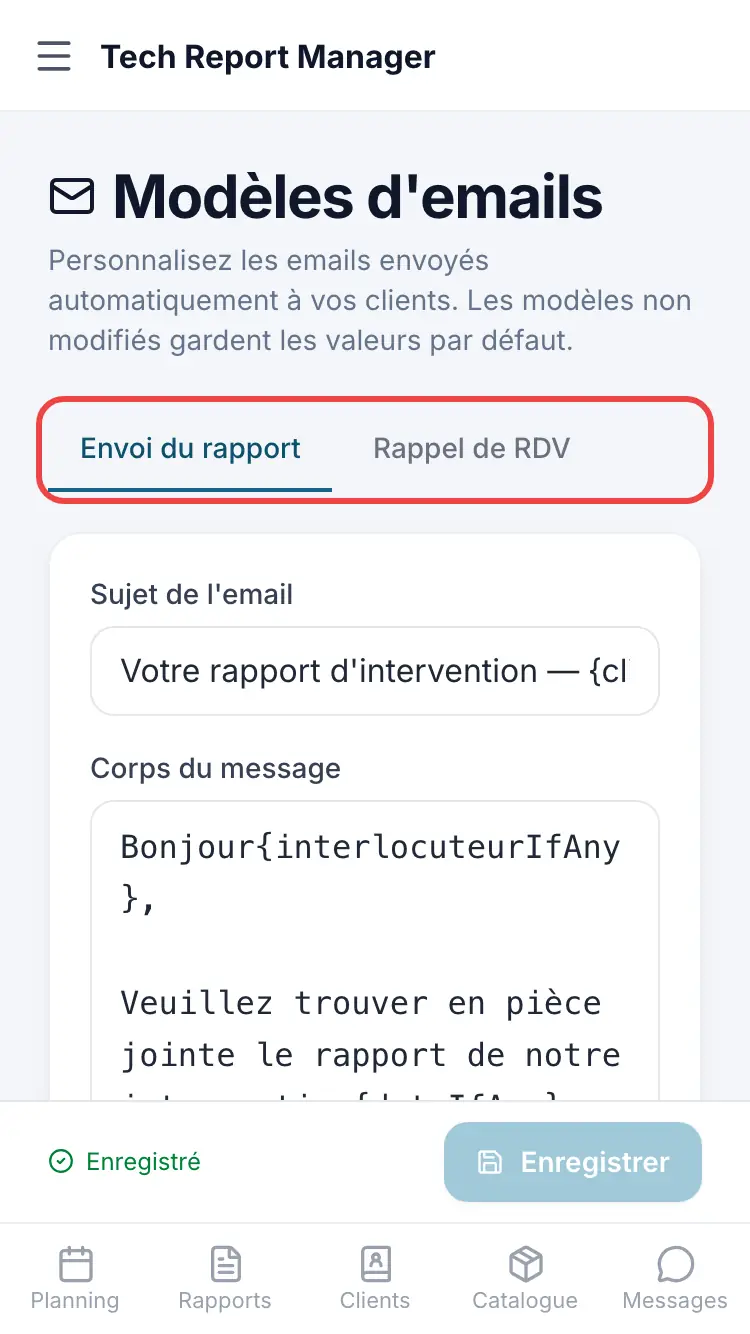
Email templates
Good to know
The Available variables (client name, technician…) are replaced when the email is sent. Restore default template restores the original text.
Frequently asked questions
Which language are emails sent in?
In the Document language set in Report logo and color.
Related articles
Need help? Our team answers by email: support@tech-report.fr
Screenshots taken on a phone, in French.