
How do I attach documents to an appointment and to the report?
What it is for
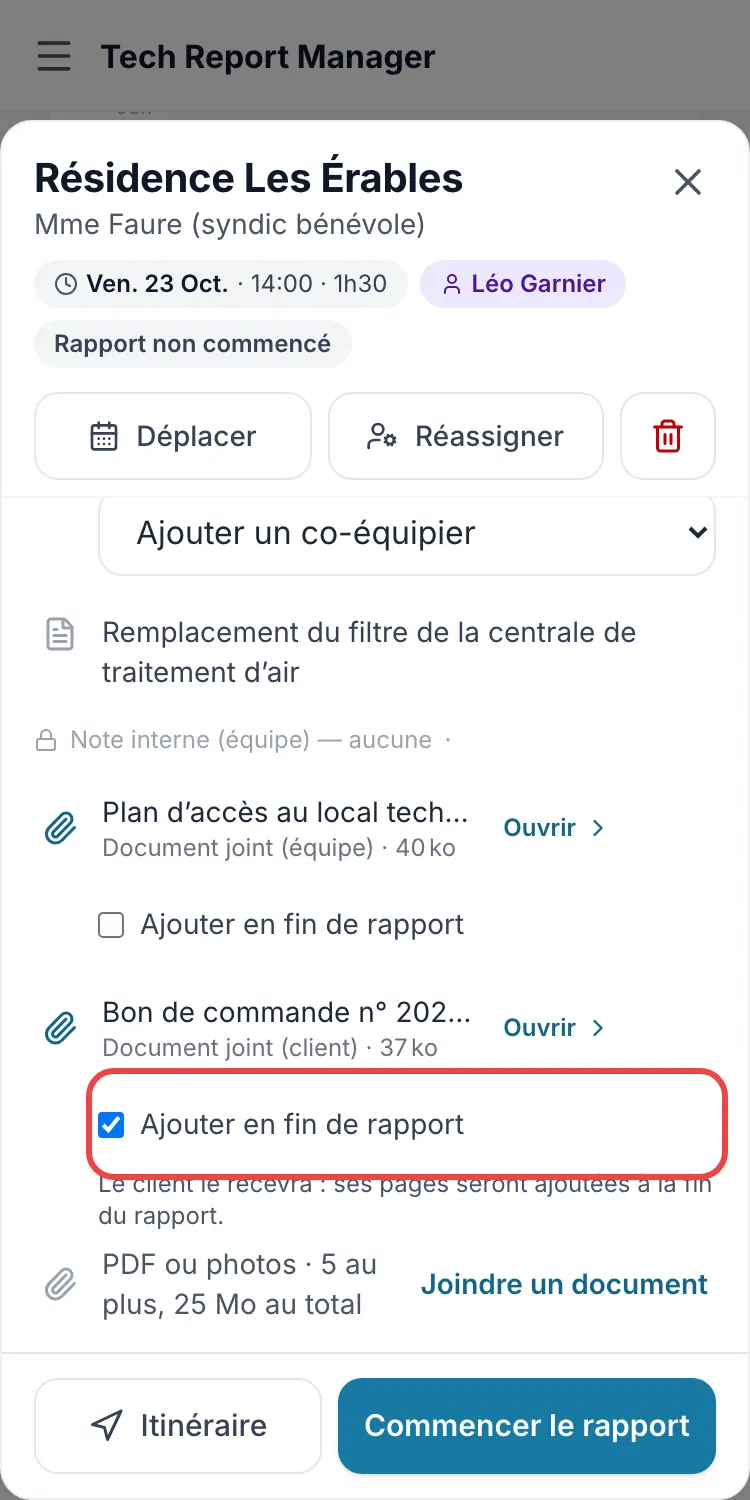
Access map, purchase order, photo of the installation: the technician opens them from the appointment. When ticked, they are added at the end of the report sent to the client.
Before you start
Step by step
Open the appointment details, then tap Attach a document under Attached document (team). PDF or photos (JPEG, PNG): 5 at most, 25 MB in total. You can also do this right from New appointment.
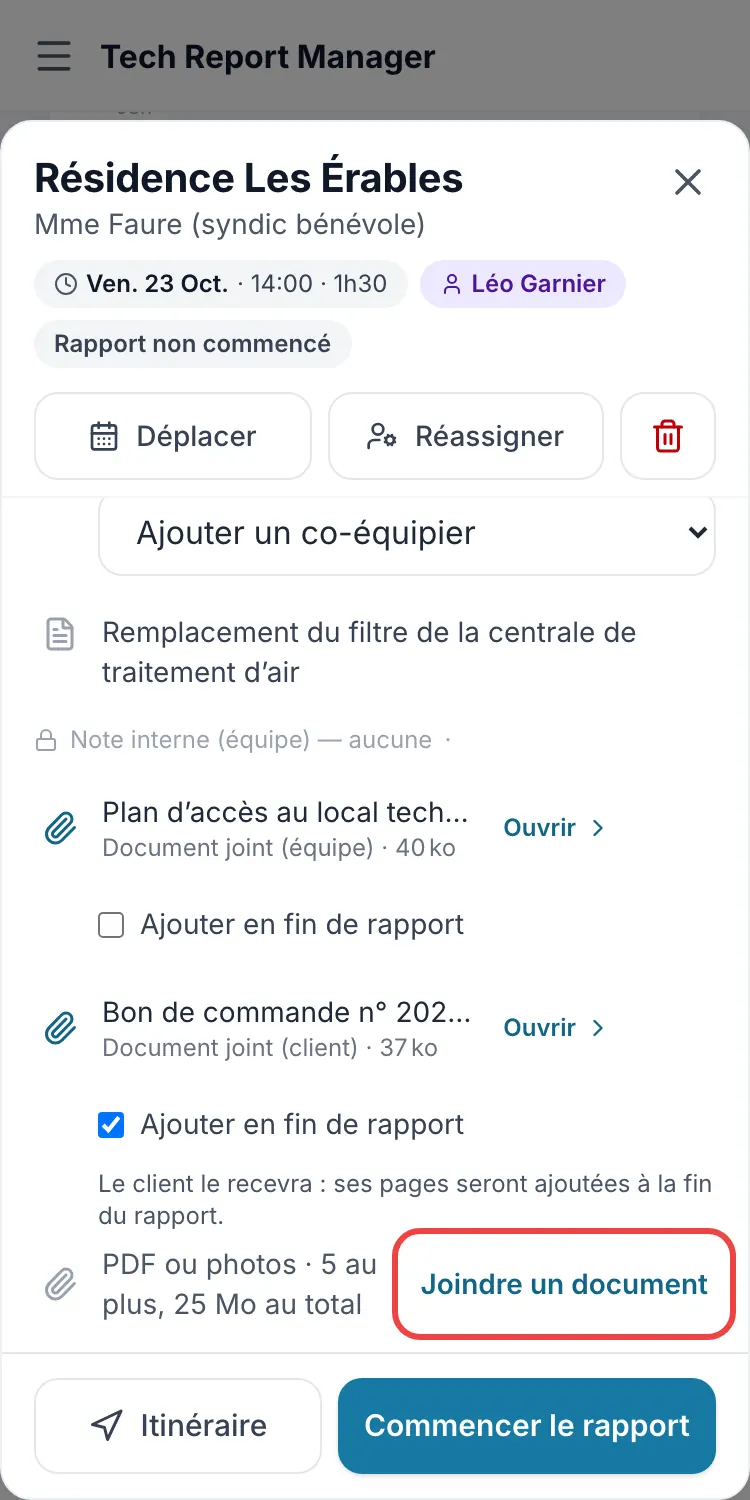
Attaching a document Under each document, tick Add at the end of the report to add it at the end of the client's report: the line becomes Attached document (client).
The document at the end of the report
Good to know
With the box unticked (the default), the document stays reserved for the team: it is not included in the report and is not sent in any email.
Frequently asked questions
Can my technician attach a document?
No: they open documents (Open), but only a manager attaches them or ticks the box.
Which formats are accepted?
PDF, JPEG and PNG. A protected PDF cannot be copied into the report: the report goes out without it and a warning says so.
What about a request's attachments?
When you schedule the request, they become documents of the appointment, with the same box.
Related articles
Need help? Our team answers by email: support@tech-report.fr
Screenshots taken on a phone, in French.