
How do I finalise a report?
What it is for
Finalising closes the report: it can no longer be changed, its PDF is ready to download and, depending on your settings, it goes to the client by email.
Before you start
Step by step
At the last step, tap Finalize the report.
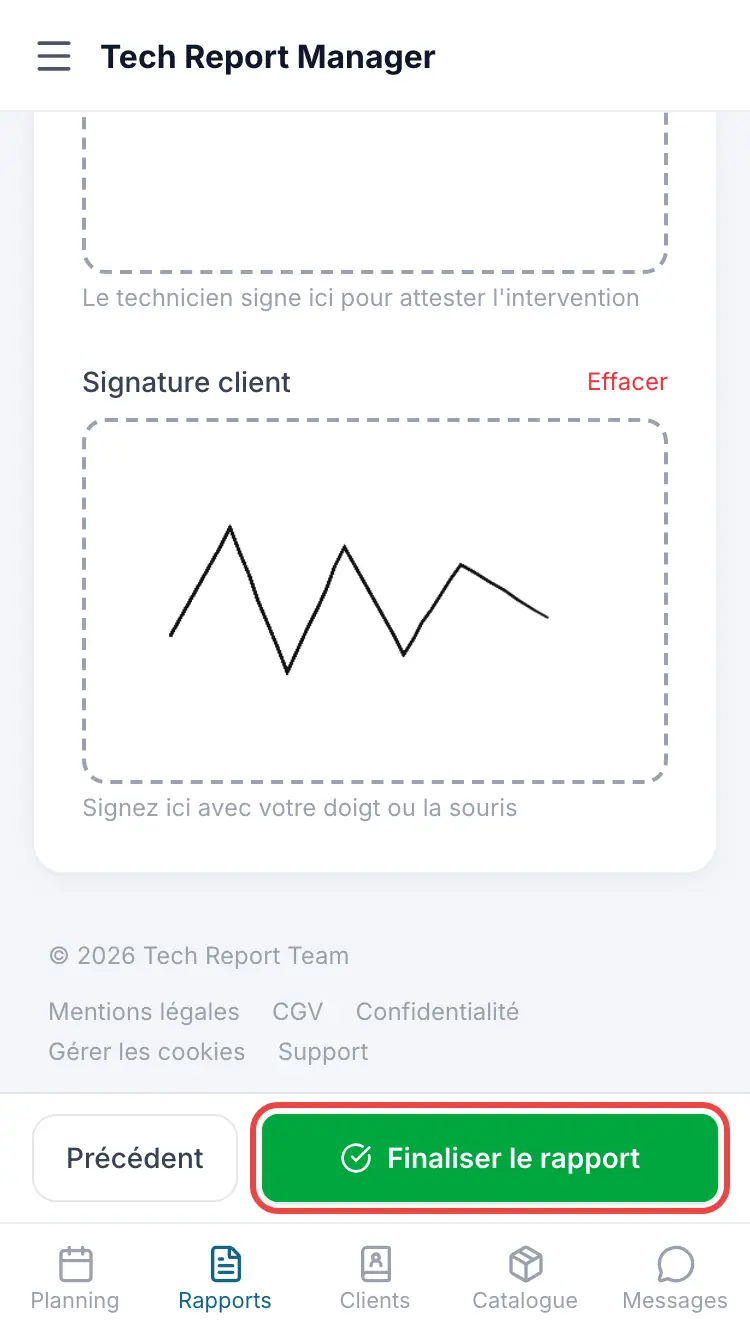
The Finalise report button A window summarises Photos, Materials, Client signature and Send to client. Confirm with Finalise and send or Finalise, or Back to the report.
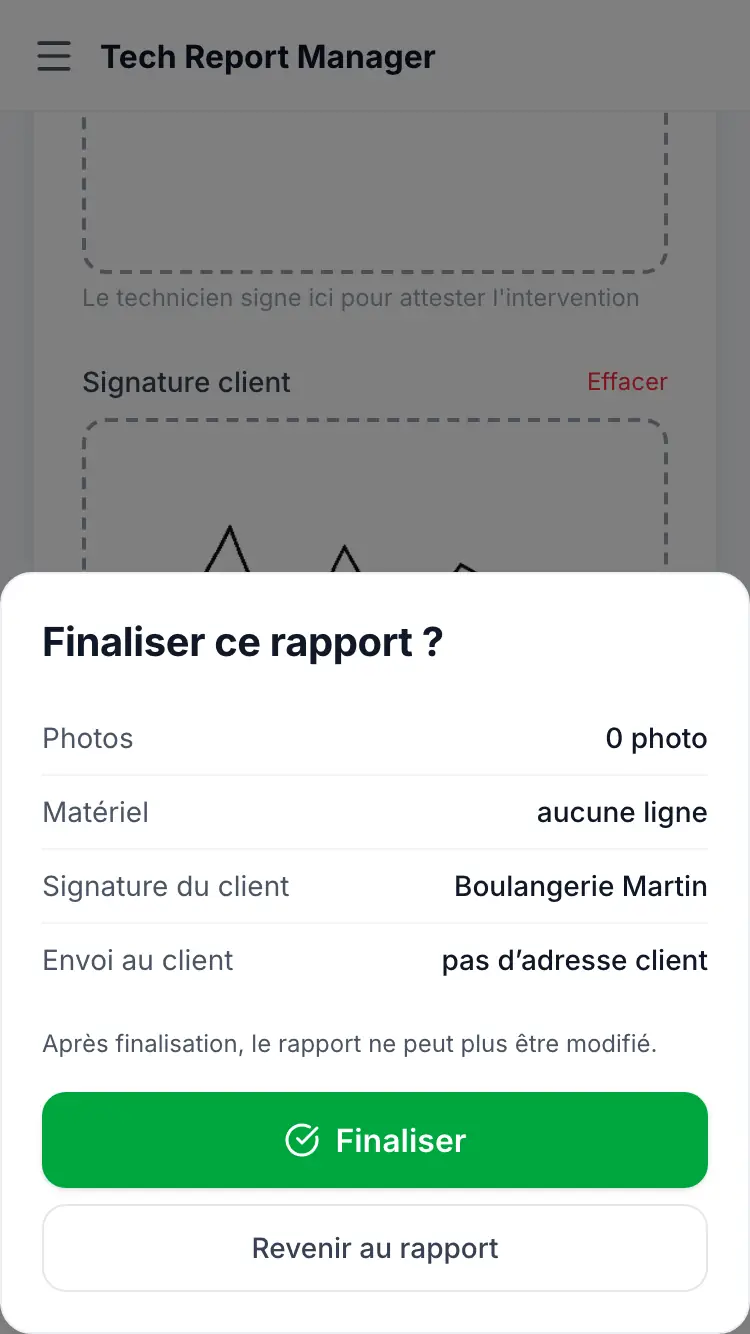
The summary before finalising
Good to know
Once finalised, the report can no longer be changed: read the summary before confirming.
Frequently asked questions
The button stays blocked: “photos are still uploading”.
Keep the app open with signal while they upload, then try again.
The window says “no client address”.
The report has no client email: it will not be sent by email. Add the email before finalising, or download the PDF to pass it on yourself.
I made a mistake in a finalised report.
It can no longer be changed. Contact your manager or support.
Related articles
Need help? Our team answers by email: support@tech-report.fr
Screenshots taken on a phone, in French.