
How do I get the client to sign on site?
What it is for
The client's signature approves the job. It is printed in the PDF with the signatory's name.
Before you start
Step by step
At the Signature step, fill in the Signatory name, then have the client sign with a finger in Client signature. Sign in Technician signature too.
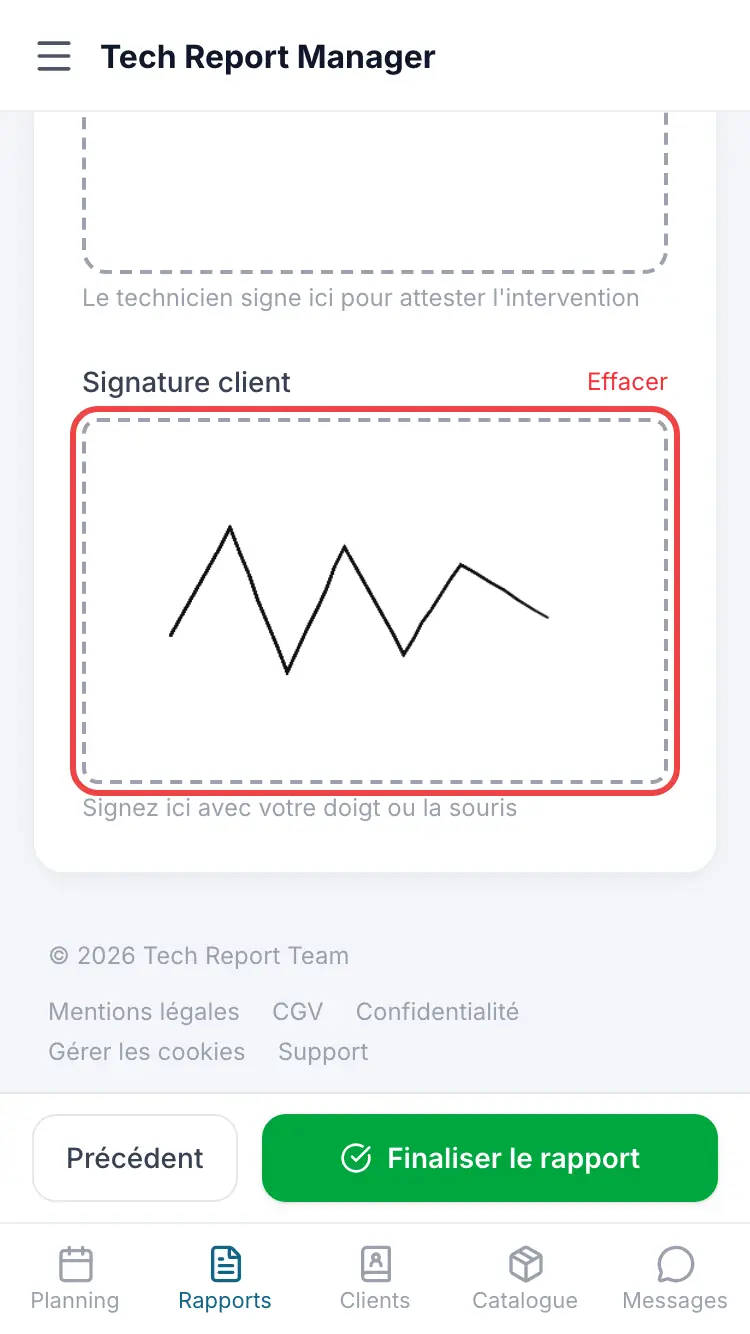
The Signature step
Good to know
If the client isn't there, choose Client absent; if they refuse, Declines to sign. The manager can also send them the report to sign remotely after finalisation.
Frequently asked questions
Can I finalise without the client's signature?
Yes. The finalisation window then shows not signed.
Can the signature be changed after finalisation?
No, a finalised report can no longer be changed.
Related articles
Need help? Our team answers by email: support@tech-report.fr
Screenshots taken on a phone, in French.