
How do I add photos to a report?
What it is for
Photos prove the condition before and after the job. They are printed in the report PDF.
Before you start
Step by step
At the On site step, in Photos, tap Add photos, then Take a photo or Gallery. The Annotate the photo button lets you draw on them.
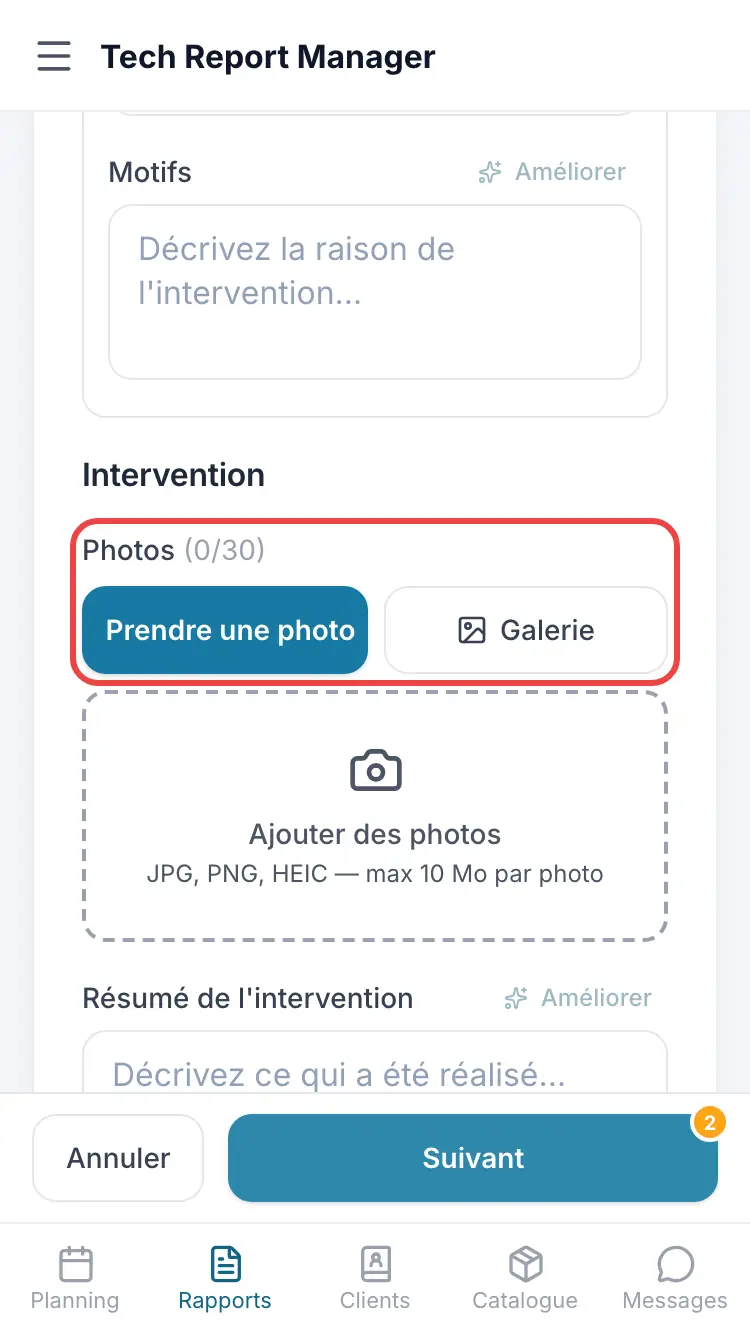
The Photos block
Good to know
Without external storage, a report accepts 30 photos. Connect external storage in Connections to lift this limit.
Frequently asked questions
I have no signal on site.
Photos stay on the phone and upload by themselves when the signal returns. Keep the app open.
The photo button is greyed out.
Fill in the client's name first.
A photo shows “Failed”.
Tap Retry. The app also retries on its own.
Related articles
Need help? Our team answers by email: support@tech-report.fr
Screenshots taken on a phone, in French.