
How do I turn on job messages?
What it is for
Each job has its own conversation thread: instructions and exchanges stay attached to the job, instead of being scattered across texts.
Before you start
Step by step
In Settings, Intervention messages section, tick Enable Intervention Messages module. The Messages entry then appears in the whole team's menu.
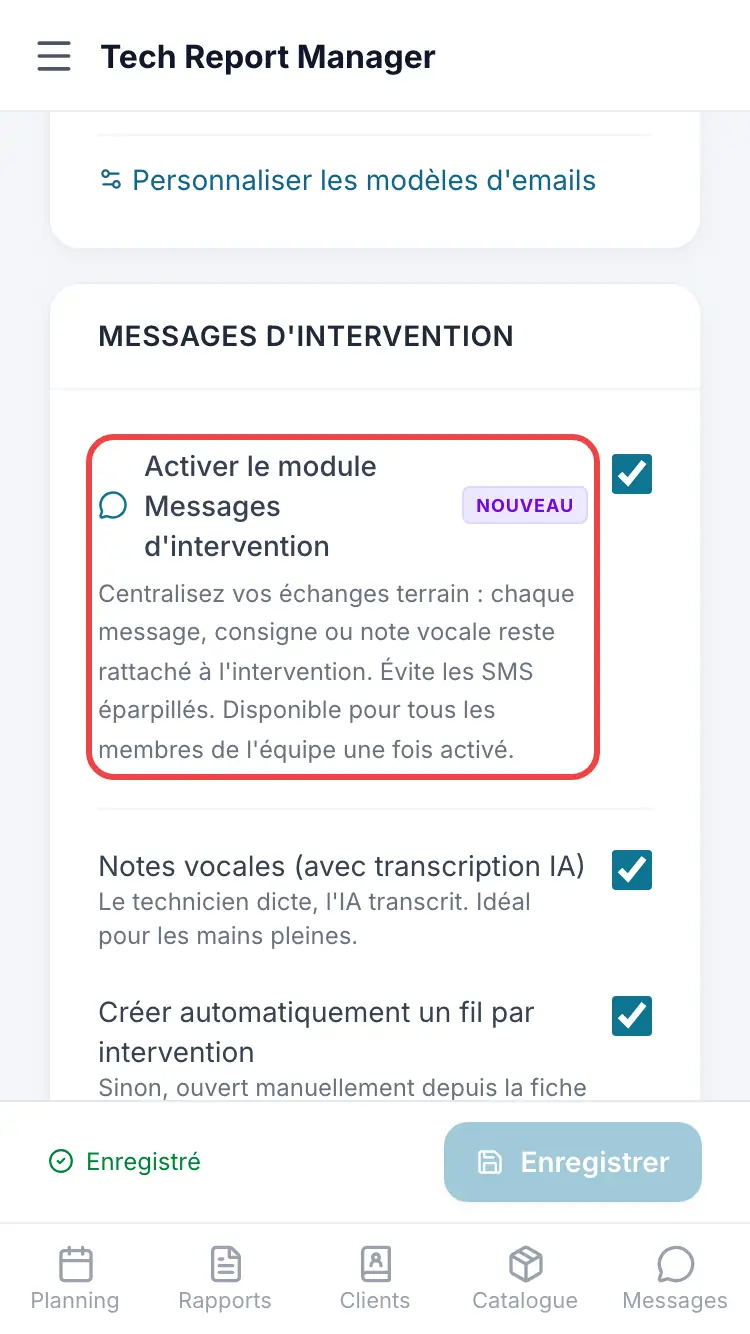
The Messages module
Good to know
The module is off by default. With Automatically create a thread per intervention, each job gets its thread automatically.
Frequently asked questions
I can't see the Messages entry.
The module isn't turned on: ask a manager to turn it on in the settings.
Related articles
Need help? Our team answers by email: support@tech-report.fr
Screenshots taken on a phone, in French.