
How do I get a report signed remotely?
What it is for
When the client wasn't there, they sign from a secure link received by email. You can track the sending, viewing and signing.
Before you start
Step by step
In Customization, open Remote signature and turn on Enable remote signature.
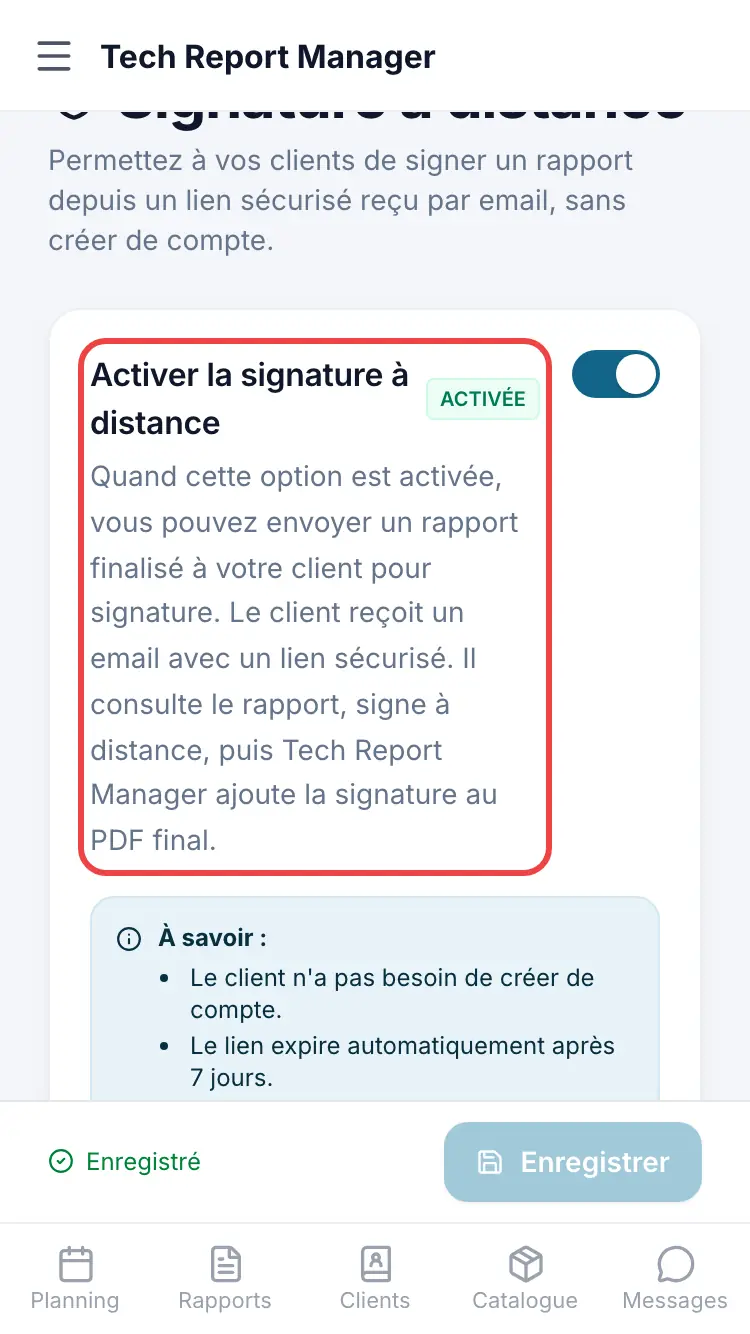
Turning on remote signature Open the finalised report. In the Remote Signature block, check the Client Email then tap Send for signature.
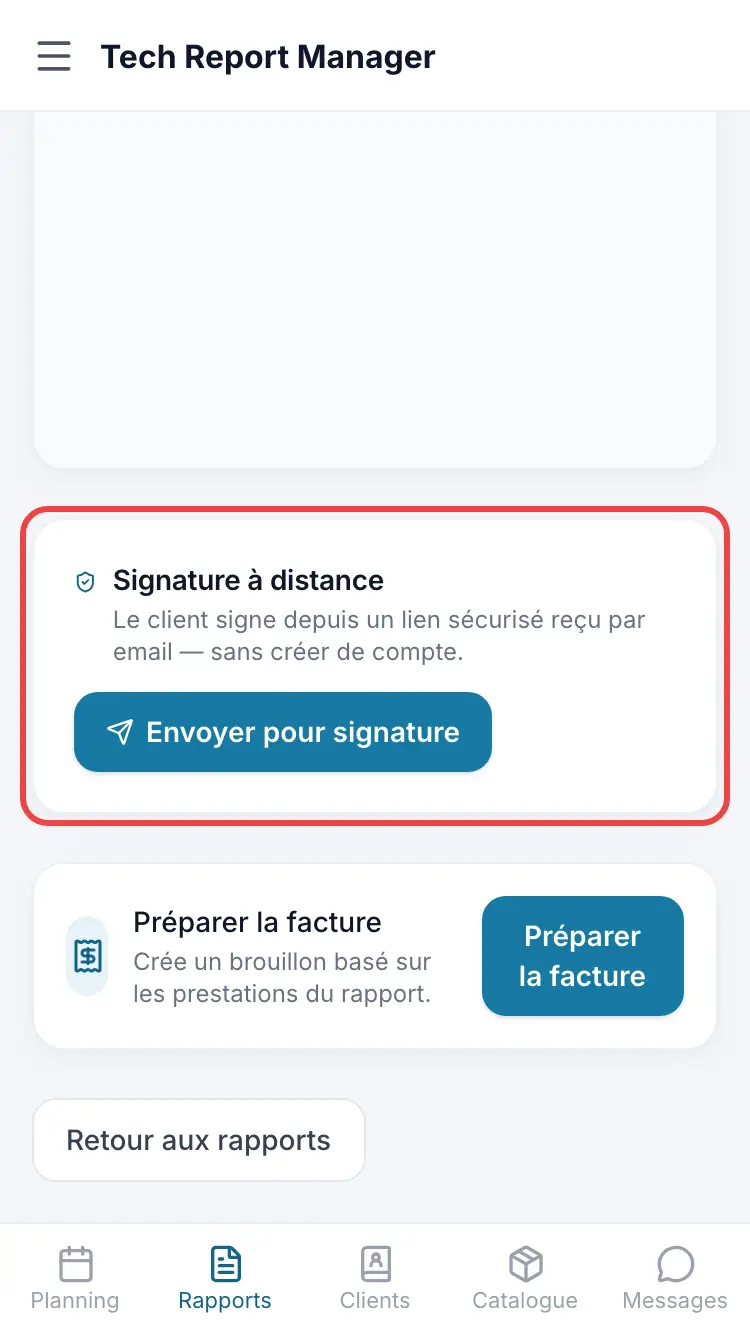
The report's Remote signature block
Good to know
The link has a validity period, adjustable in the remote signature options. You can Resend the client or Revoke the link.
Frequently asked questions
Does the client need to create an account?
No. They open the link, read the report and sign, or say they don't wish to sign.
The link has expired.
Use Resend from the report.
I can't see the block on the report.
It only appears on a finalised report, for a manager, once the option is turned on.
Related articles
Need help? Our team answers by email: support@tech-report.fr
Screenshots taken on a phone, in French.