
How do I download or resend a report PDF?
What it is for
Each report produces a PDF with your branding. You download it to print or archive, or you resend it to the client.
Before you start
Step by step
In Reports, open the report with View. At the top, the PDF button (Download PDF) saves the file. On a finalised report with the client's email, the Signature step offers Send by email or Resend by email.
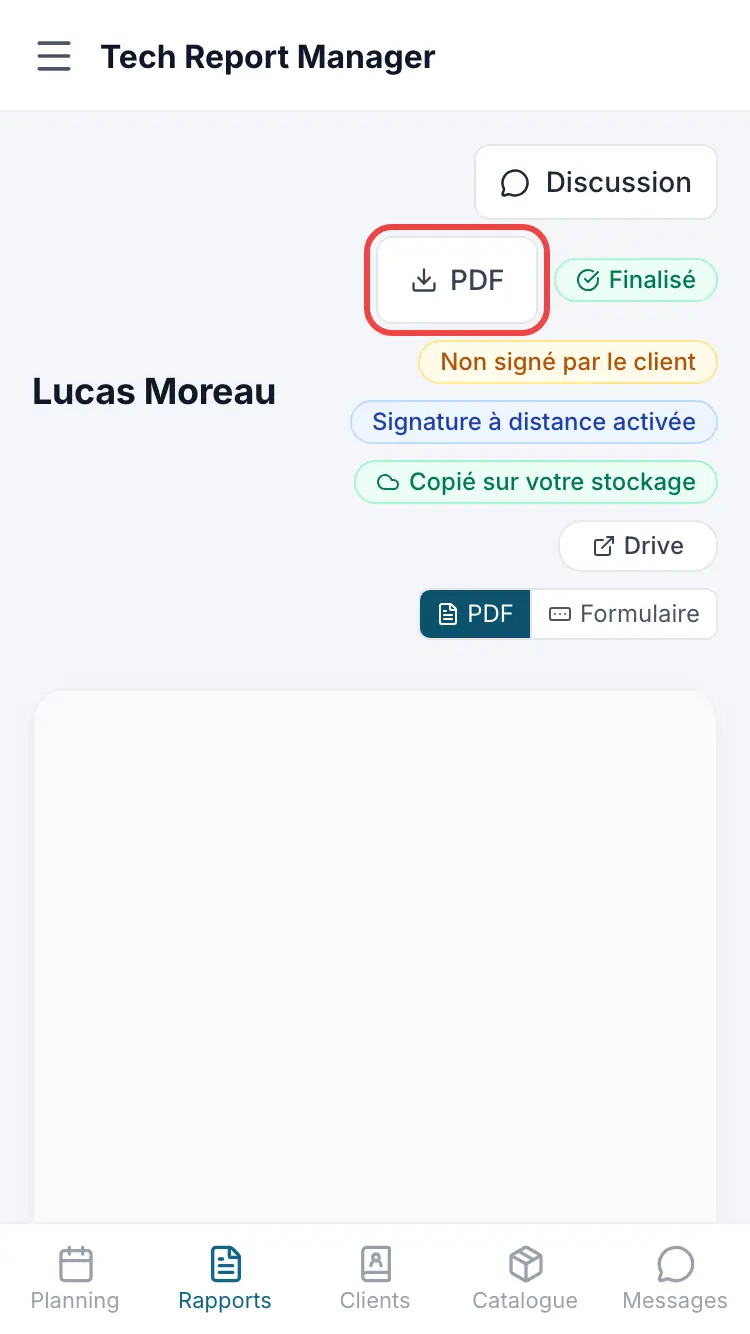
Actions on a report
Good to know
The PDF Preview button lets you check the result before finalising.
Frequently asked questions
The client says they didn't receive the report.
Ask them to check their spam folder, then use Resend by email. If the last send failed, the reports list also shows Resend on the row.
Can I change the PDF's logo and colour?
Yes, in Customization, Report logo and color card.
Related articles
Need help? Our team answers by email: support@tech-report.fr
Screenshots taken on a phone, in French.