
How do I record a technician's absence?
What it is for
An absence visually blocks a technician's days: you no longer give them a job by mistake.
Before you start
Step by step
In Schedule, tap New appointment, then choose Absence at the top of the window.
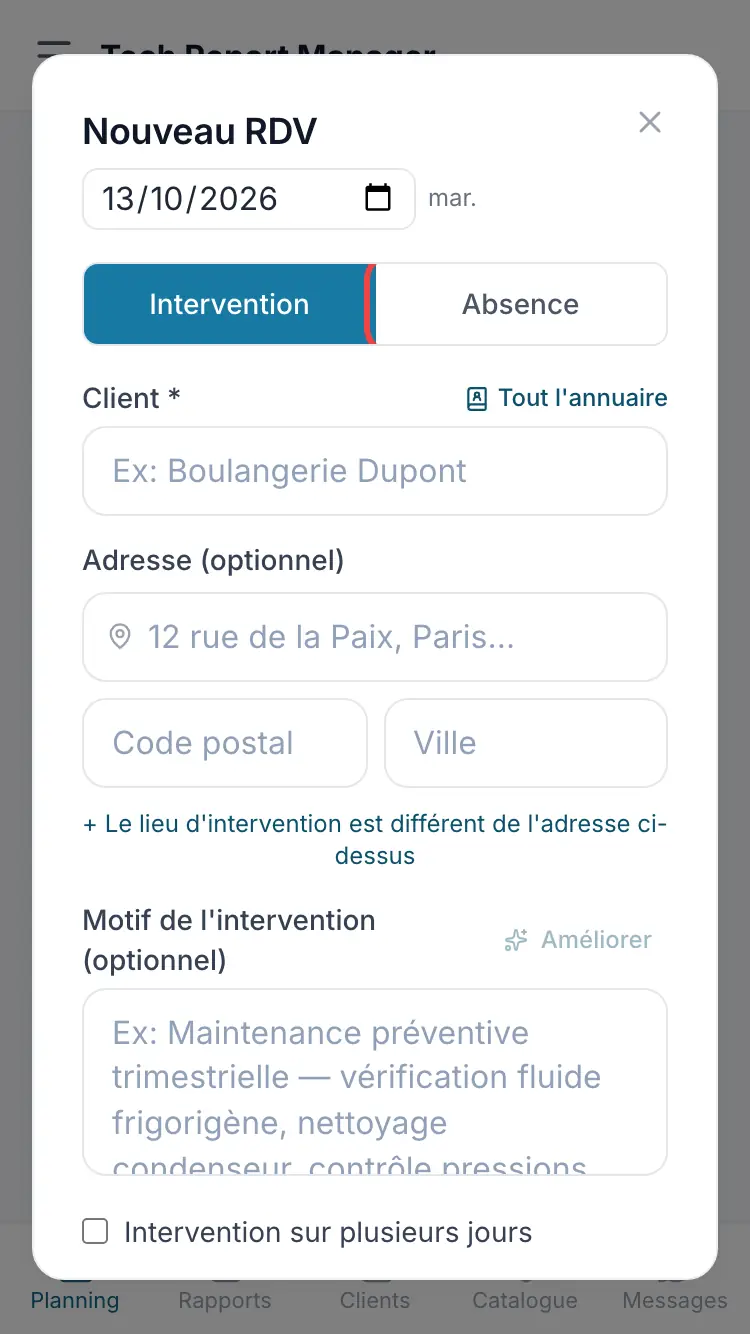
The “Absence” choice Choose the Absent technician *, the Type (Paid leave, Sick leave, Training…), the dates From and To, then Save absence.
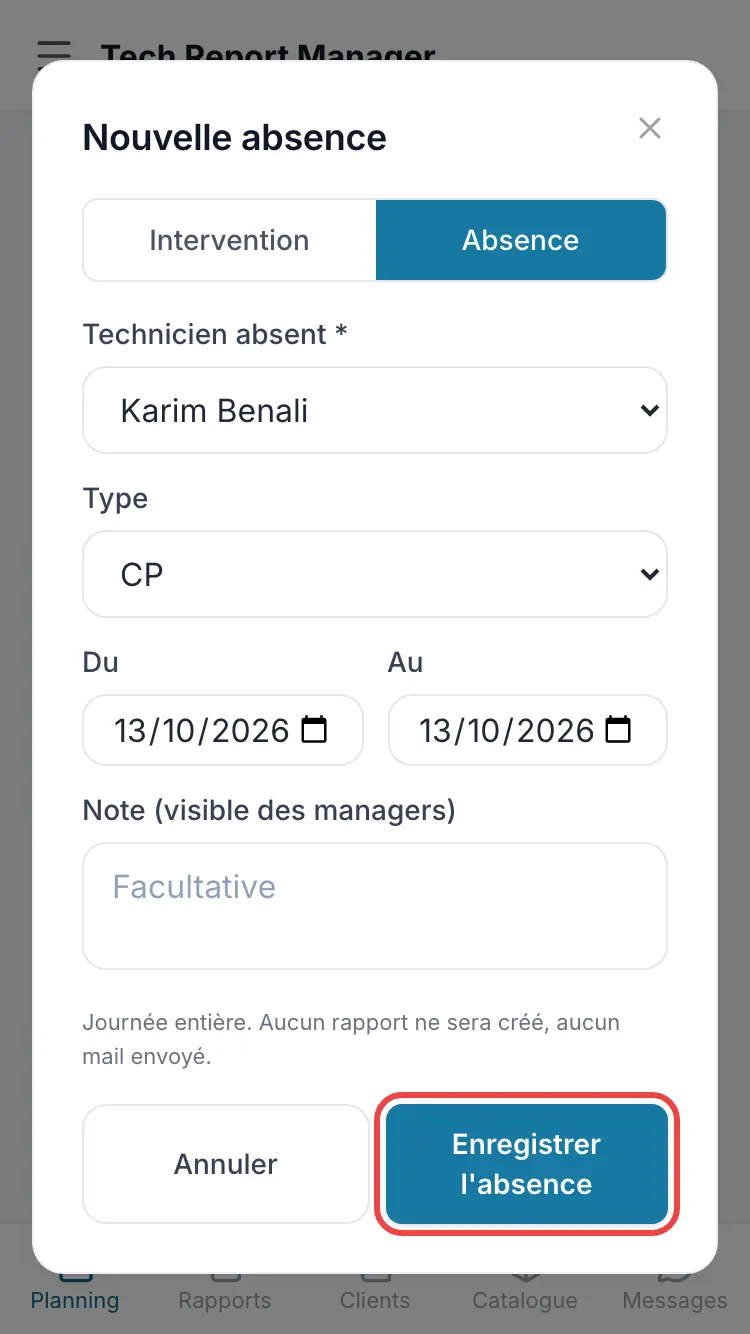
The absence form
Good to know
An absence covers whole days: no report is created and no email is sent. The Absences page lists them all.
Frequently asked questions
Does the technician see their absences?
Yes, they see their own in their schedule, not those of their colleagues.
Can I book an absent technician?
Yes, after the Technician unavailable warning: Schedule anyway.
Related articles
Need help? Our team answers by email: support@tech-report.fr
Screenshots taken on a phone, in French.