
How do I switch between day, week and month?
What it is for
Schedule views give you the detail of one day or the overview of a week. A manager can also filter by technician.
Before you start
Step by step
At the top of Schedule, choose Day or Week. The arrows and Today change the period; the All technicians filter limits the display to one technician.
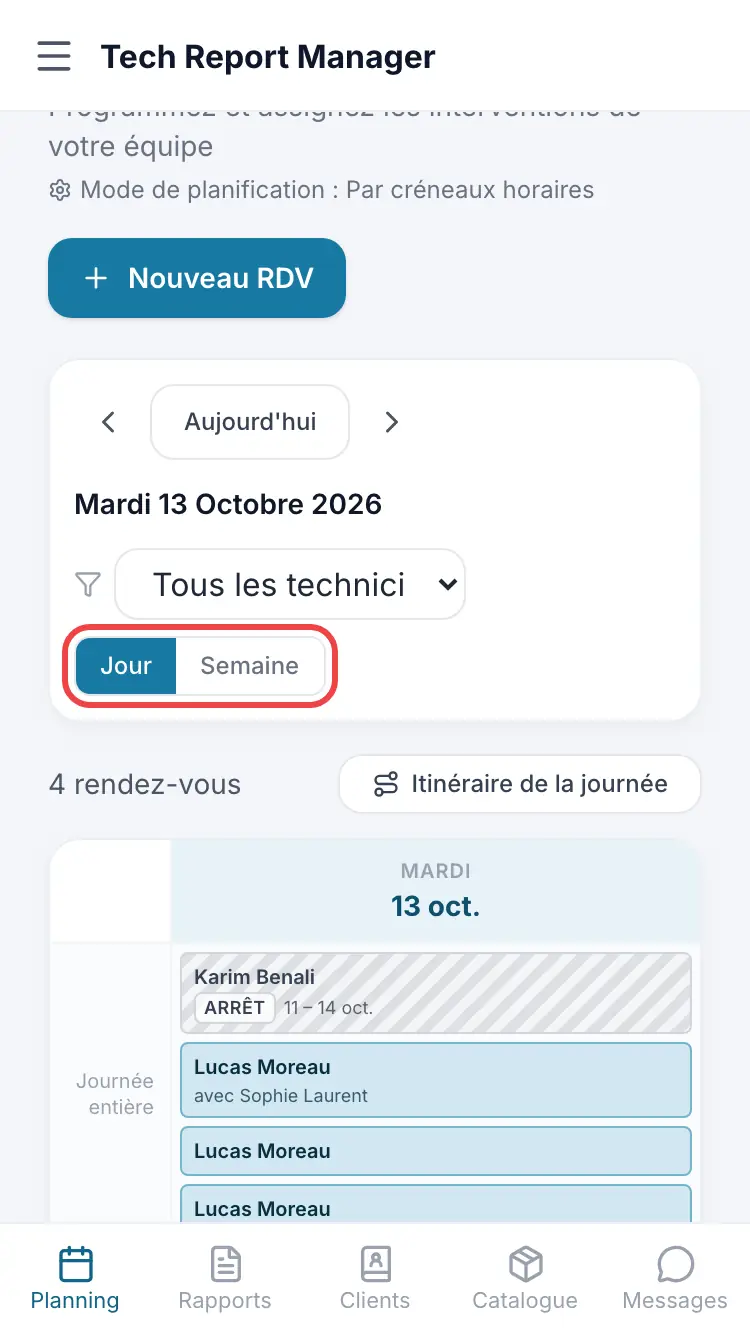
Choosing the view The Week view shows appointments for all seven days. Tap an appointment to open its details.
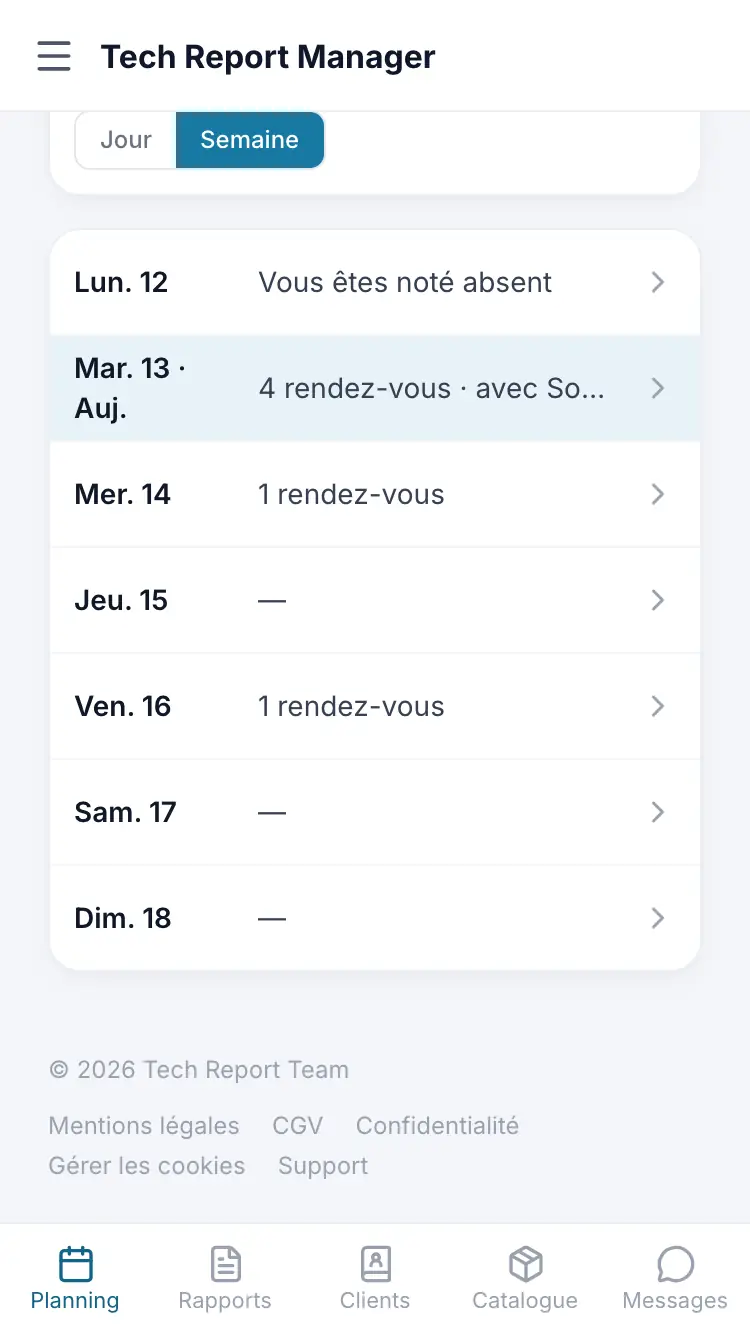
The Week view
Good to know
The Month view only exists on a wide screen (computer, tablet). With at least two technicians, a manager also gets the Team and Time grid views there.
Frequently asked questions
I can't see the Month view on my phone.
It is reserved for wide screens. Use the Week view, or open the schedule on a computer.
Some night-time appointments are not shown.
The grid covers 7 am – 7 pm by default. A message offers Show 24 h.
Related articles
Need help? Our team answers by email: support@tech-report.fr
Screenshots taken on a phone, in French.