
How do I connect Sellsy or Axonaut?
What it is for
With Sellsy or Axonaut connected, your approved invoices are sent to your software at the press of a button.
Before you start
Step by step
In Connections, Billing tool card, choose Sellsy or Axonaut. Paste the key into the field provided, then Save the key and Test the connection.
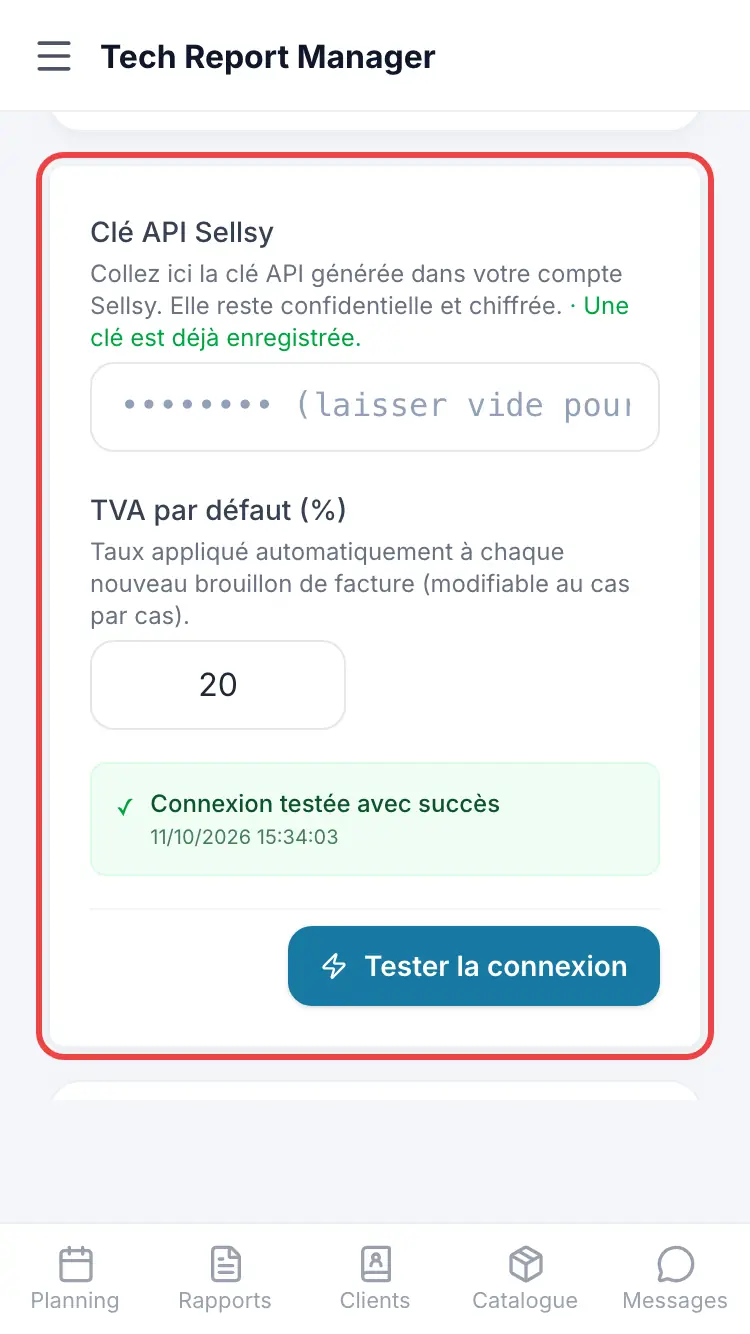
The connection key
Good to know
The key stays confidential and encrypted. Once saved, the field shows dots: leave it empty to keep it.
Frequently asked questions
The connection test fails.
Check that the whole key was copied, with no spaces, then save it again.
What does my software receive?
The invoices you send with Send to my tool.
Related articles
Need help? Our team answers by email: support@tech-report.fr
Screenshots taken on a phone, in French.