
How do I connect Pennylane?
What it is for
Once Pennylane is connected, an invoice approved in Tech Report Manager is sent to Pennylane at the press of a button, with no retyping.
Before you start
Step by step
In Connections, open the Billing tool card. In Connected billing tool, choose Pennylane.
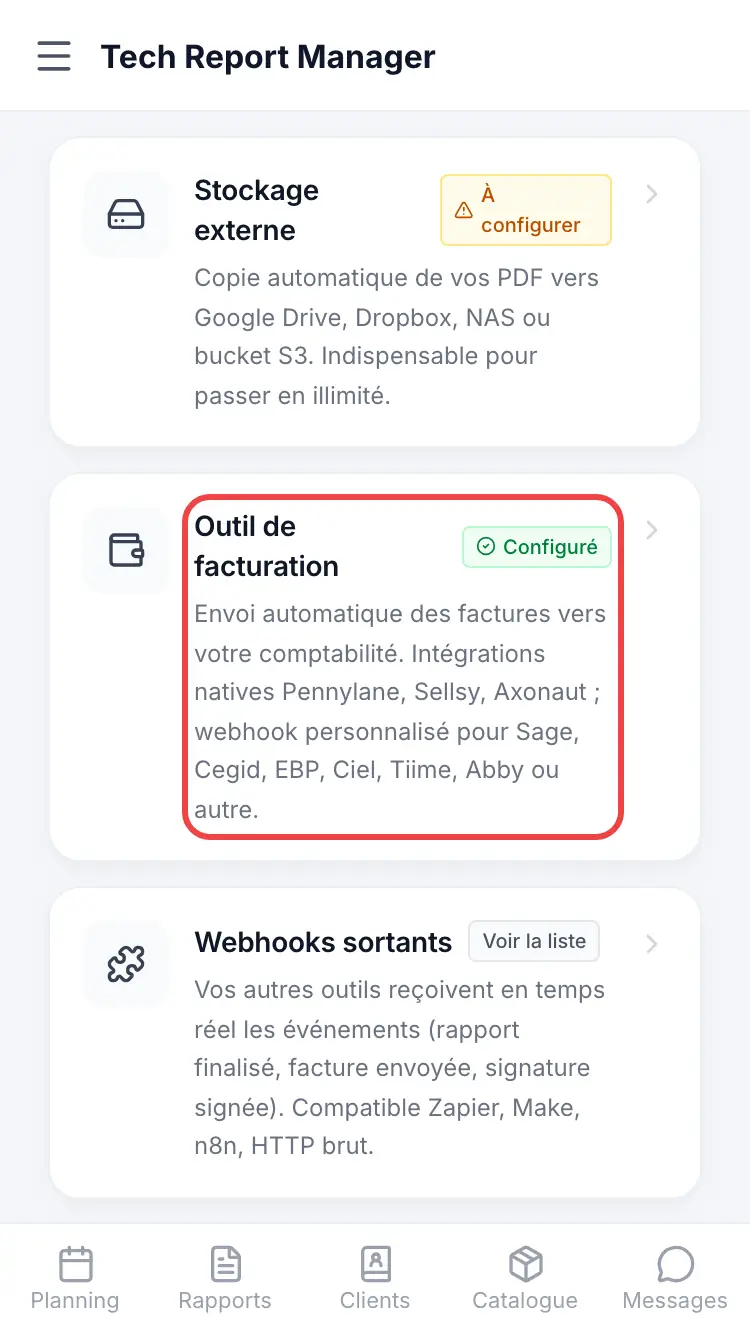
Choosing the invoicing tool Tap Connect my Pennylane account and allow access in the Pennylane window. Back in the app, the page shows the connection; Test the connection checks it.
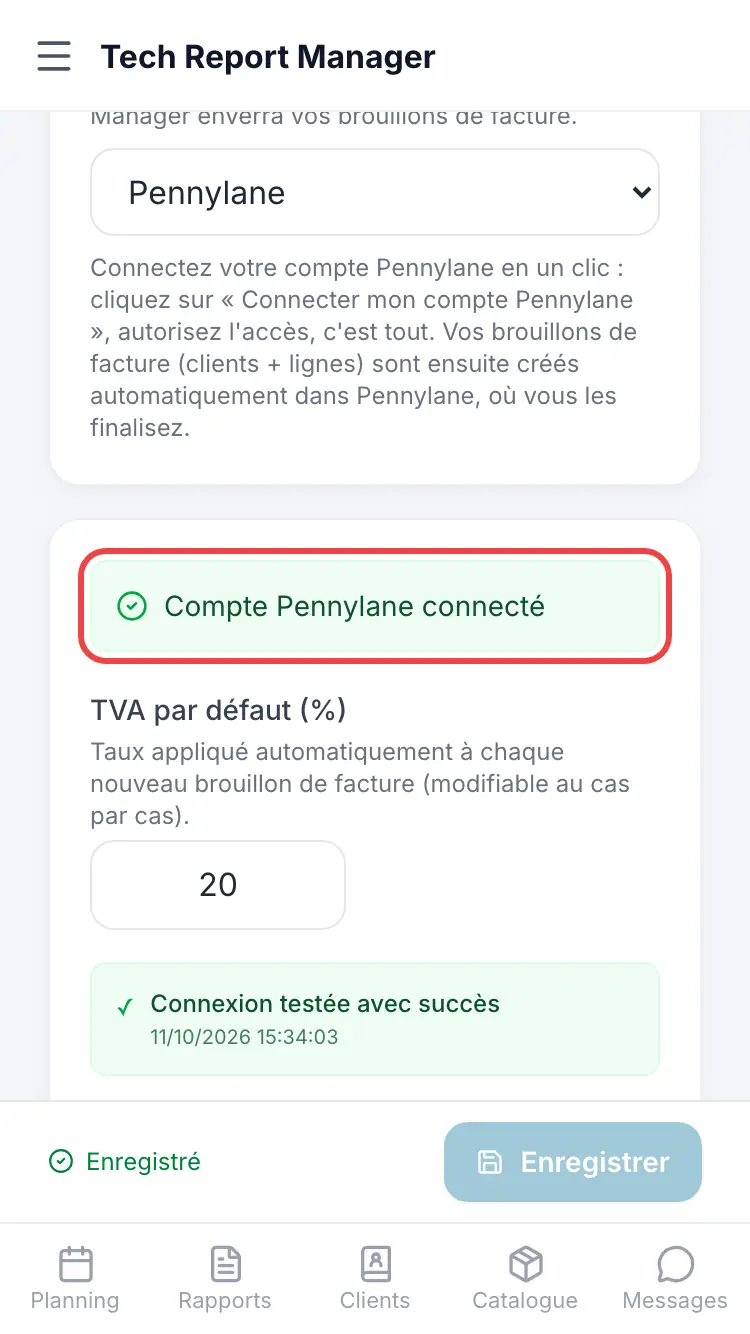
The Pennylane connect button
Good to know
No key to copy: the connection goes through your Pennylane account. If it expires, a Reconnect button appears.
Frequently asked questions
Are invoices sent automatically?
No. An invoice goes to Pennylane when you tap Send to my tool, after approving it.
The Pennylane window doesn't open.
Allow pop-ups for Tech Report Manager, then try again. With no response after 10 minutes, the connection is abandoned.
Related articles
Need help? Our team answers by email: support@tech-report.fr
Screenshots taken on a phone, in French.