
How do I put several technicians on one job?
What it is for
For a job done by two or three people, the lead technician writes the report and their co-workers see the appointment in their own schedule.
Before you start
Step by step
In New appointment or in an appointment's details, tap Add a teammate and choose the technician.
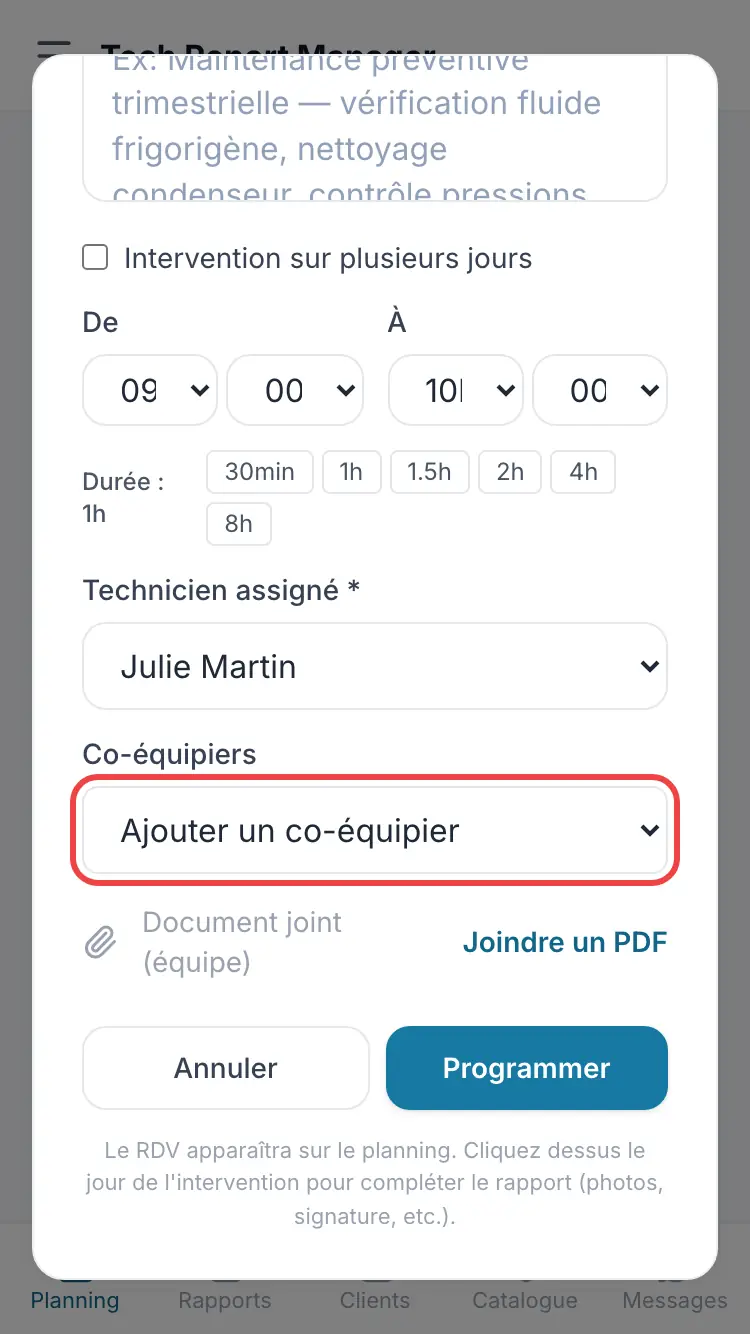
The appointment's co-workers
Good to know
A maximum of two co-workers, in addition to the lead technician. Only the lead technician writes the report.
Frequently asked questions
Can the co-worker fill in the report?
No, they read it. The details show them With and the name of the writer.
I can't see “Add a co-worker”.
Turn on Several technicians on one job in Settings.
Related articles
Need help? Our team answers by email: support@tech-report.fr
Screenshots taken on a phone, in French.