
How do I send events to other software (webhooks)?
What it is for
Your other tools are notified as soon as a report is finalised or an appointment is scheduled, with no data entry.
Before you start
Step by step
In Connections, Outgoing Webhooks card, open the Automatic Notifications tab and tap New. Enter the Reception address, then, in Events, keep All events or choose them one by one (Report finalized, Appointment scheduled…). Finish with Create.
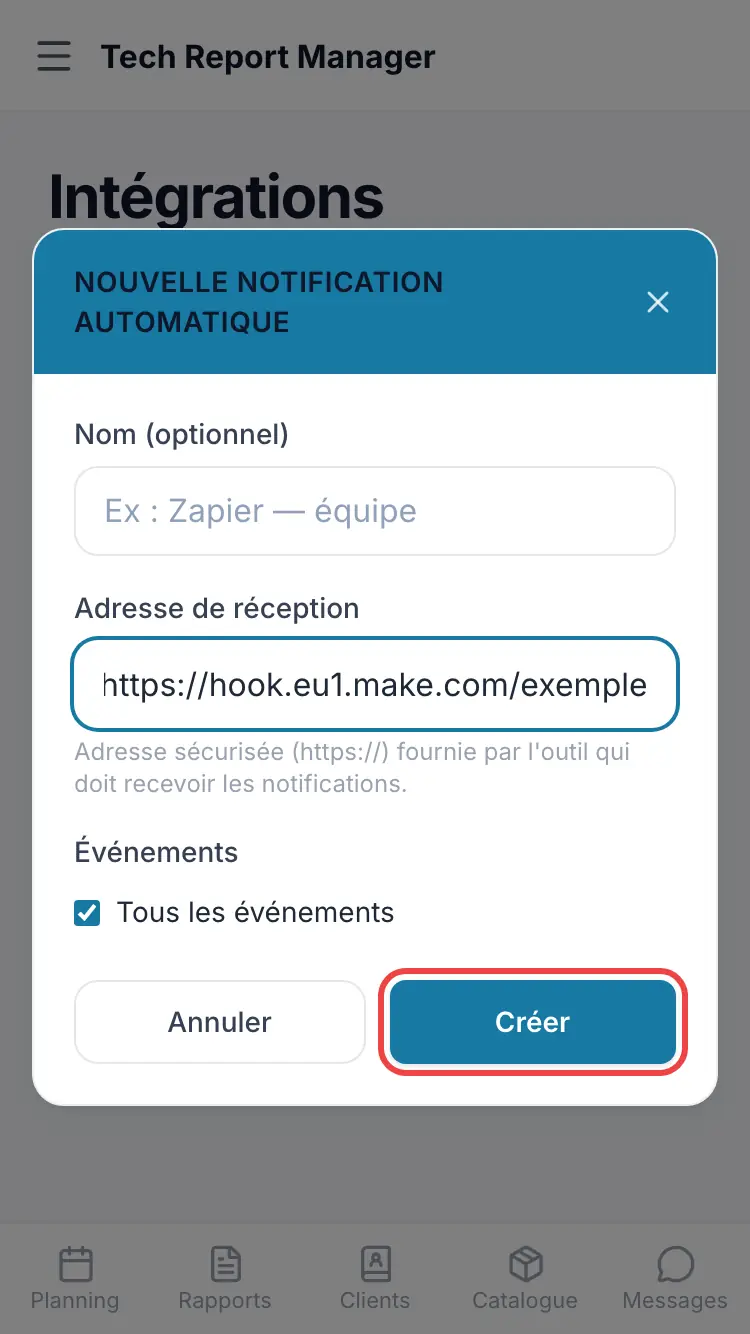
A new automatic notification
Good to know
On creation, a Security Key is shown only once: copy it straight away. It lets the receiving tool check that the send really comes from Tech Report Manager.
Frequently asked questions
I've lost the security key.
Use Regenerate the security key: a new key is shown.
How do I check it works?
Test sending sends a test event to the address.
Related articles
Need help? Our team answers by email: support@tech-report.fr
Screenshots taken on a phone, in French.