
How do I change the app language?
What it is for
Each member chooses the language they see the app in, without changing the language of documents sent to clients.
Before you start
Step by step
Open the menu: at the bottom, the language button shows the current language. Tap it and choose your language.
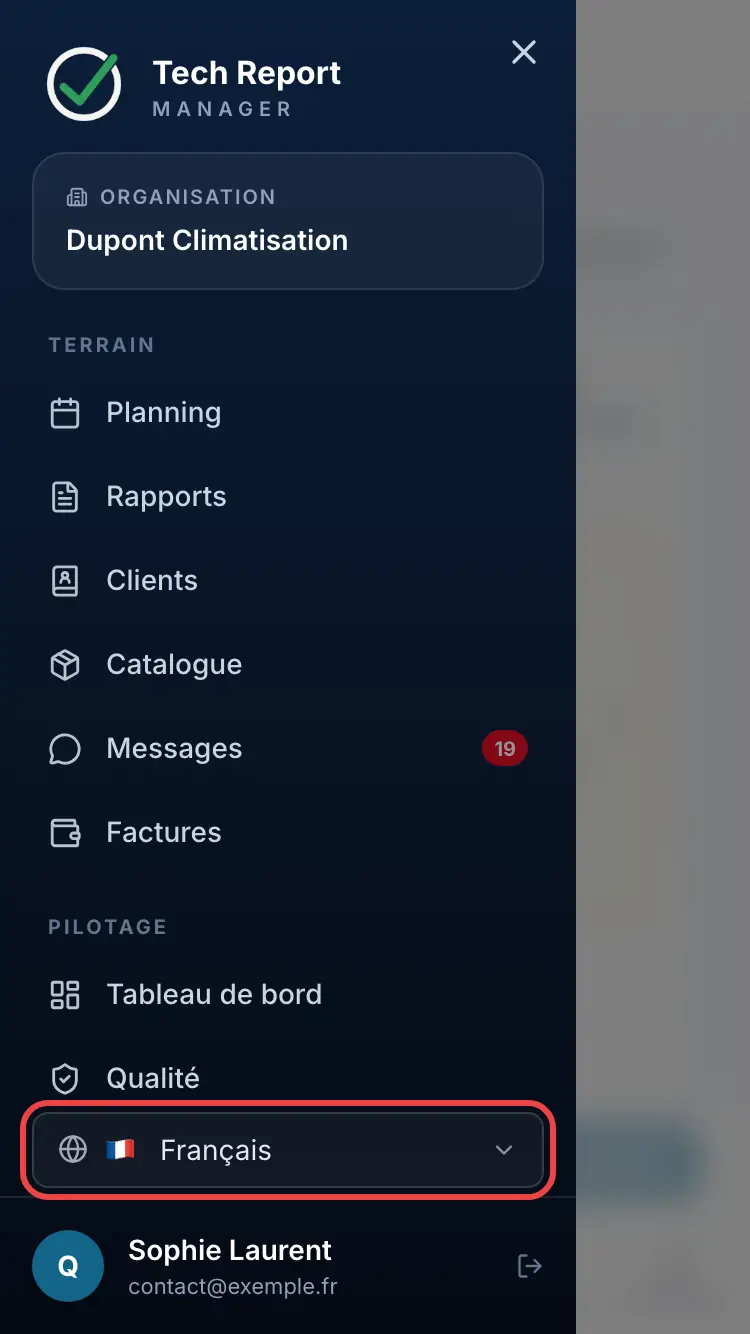
Choosing the language in the menu
Good to know
The app language applies to this device. The language of client PDFs and emails is a separate setting: Document language, in Customization.
Frequently asked questions
My clients receive reports in a different language from mine.
For them, it is the Document language that counts: French, English, German or Spanish.
Some text stays in English.
When a translation is missing, the app shows English.
Related articles
Need help? Our team answers by email: support@tech-report.fr
Screenshots taken on a phone, in French.