
How do I install the app on my phone?
What it is for
Tech Report Manager runs in the browser, with no app store needed. Once added to the home screen, it opens full screen like an app, even without signal.
Before you start
Step by step
Sign in from your phone. In the menu, open Install the app, or tap the Install the app button in the banner at the top of the screen.
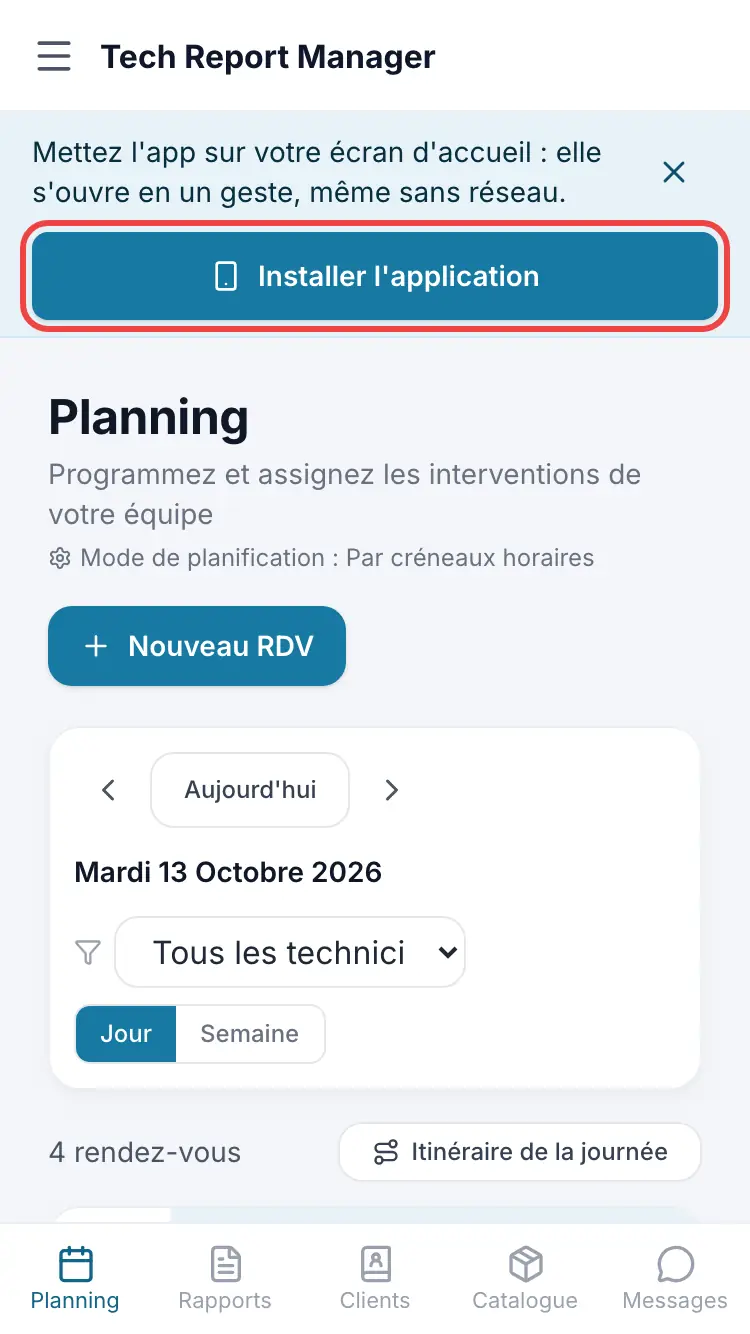
The install banner The page shows the steps for your phone. On iPhone (Safari): Share button, then “Add to Home Screen”, then “Add”. On Android (Chrome): ⋮ menu, then “Install app”.
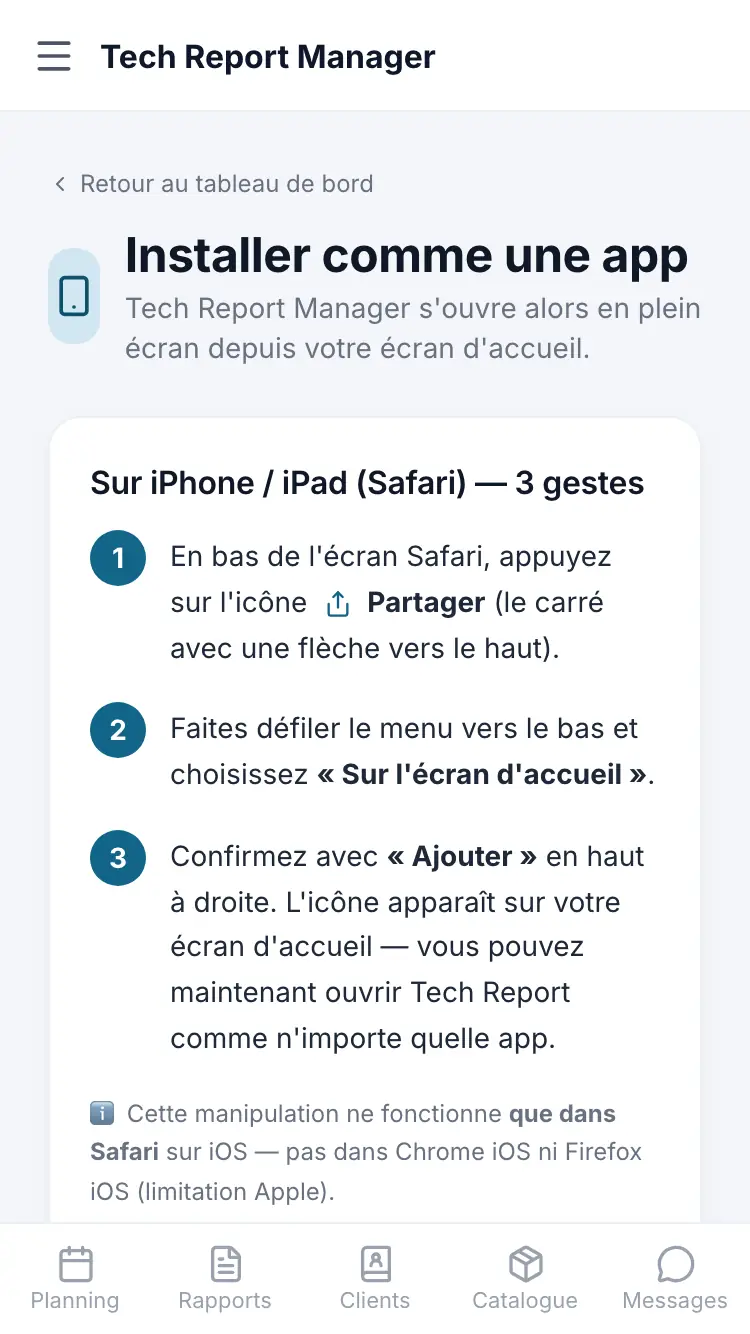
The instructions for your phone
Good to know
On iPhone, installing only works in Safari. If you opened the link in Chrome or from an email, copy the address into Safari first.
Frequently asked questions
I can't see the “Install the app” entry in the menu.
It disappears once the app is installed and opened from the home screen: there is nothing more to do.
Do I have to go through the App Store or Google Play?
No. The app installs directly from the browser.
What about on a computer?
With Chrome, Edge or Brave, an “Install” icon appears in the address bar. Safari on Mac does not offer installation.
Related articles
Need help? Our team answers by email: support@tech-report.fr
Screenshots taken on a phone, in French.